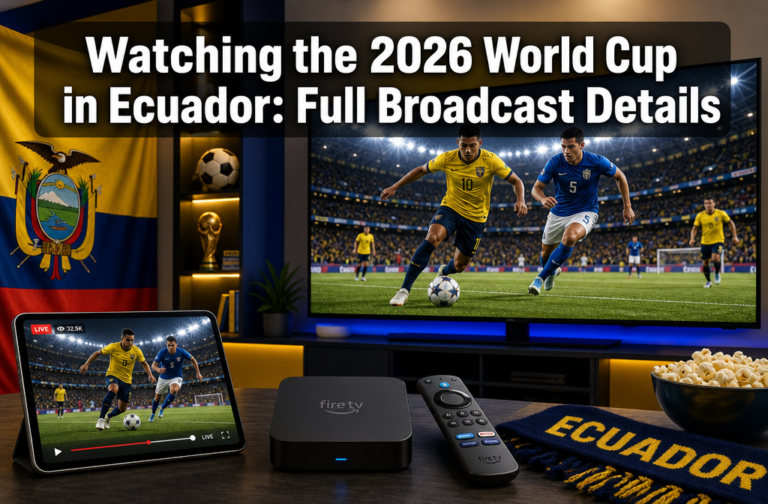
How to Watch the FIFA World Cup 2026 in 4K: The Complete Guide
Quick Answer
To watch the FIFA World Cup 2026 in 4K, you need a 4K-capable TV or monitor, a compatible streaming device or set-top box, and a subscription to a broadcaster that offers 4K coverage, such as Fox Sports (via select pay-TV providers) or Peacock in the United States. A minimum internet connection of 25 Mbps is required for stable 4K streaming. Not every match will be broadcast in 4K, so checking your provider’s schedule in advance is essential.
Key Takeaways
- Fox Sports and Telemundo Deportes are the primary U.S. rights holders for World Cup 2026; 4K availability depends on your specific cable, satellite, or streaming package
- Peacock and Fubo TV are among the streaming services most likely to offer 4K match coverage in the U.S.
- A minimum of 25 Mbps internet speed is needed for 4K streaming; 50 Mbps or higher is recommended for reliability
- Not all 104 matches will be broadcast in 4K, high-profile knockout rounds and the final are the most likely candidates
- 4K-compatible devices include Apple TV 4K, Amazon Fire TV Stick 4K, Roku Ultra, Samsung Smart TVs, and Sony Bravia TVs
- Viewers outside the U.S. can access 4K streams through local rights holders, and a VPN can help access geo-restricted content in some cases
- Free 4K options are very limited; most require a paid subscription or a cable/satellite bundle
- Slow or inconsistent internet is the single most common reason 4K streams drop to HD quality mid-match
What TV Channels Will Broadcast World Cup 2026 in 4K
Fox Sports and Telemundo Deportes hold the English-language and Spanish-language broadcast rights in the United States. Fox has historically offered select matches in 4K HDR through participating cable and satellite providers, and the same approach is expected for 2026. In the UK, ITV and BBC share rights, with BBC iPlayer and ITVX both capable of streaming in 4K for select matches on supported devices.
For a full breakdown of which channels are carrying the tournament by country, the FIFA World Cup 2026 TV Coverage and Channel List is the most comprehensive reference available.
Key broadcast partners by region:
| Region | Primary Broadcaster | 4K Availability |
|---|---|---|
| USA (English) | Fox Sports / FS1 | Select matches via pay-TV |
| USA (Spanish) | Telemundo / Peacock | Select matches via streaming |
| UK | BBC / ITV | Select matches via iPlayer / ITVX |
| Canada | CTV / TSN / RDS | Limited 4K on streaming tiers |
| Mexico | Televisa / TV Azteca | Limited 4K on streaming tiers |
Do You Need a Special Streaming Service to Watch World Cup 2026 in 4K
Yes, standard cable or free-to-air TV rarely delivers 4K sports without an upgraded package or a specific streaming app. In the U.S., Peacock Premium and Fubo TV Pro are the services most likely to stream World Cup matches in 4K, provided you also have a 4K-capable device and a fast enough internet connection.
YouTube TV has expanded its 4K add-on for live sports events. For more on that option, see how to watch the 2026 FIFA World Cup live on YouTube TV.
Choose a service based on your situation:
- Choose Peacock if you already have an NBC/Comcast subscription and want the most affordable path to 4K
- Choose Fubo TV if you want a dedicated sports streaming bundle with 4K as a built-in feature
- Choose YouTube TV’s 4K add-on if you want a cable-replacement service with broad channel coverage
Common mistake: Subscribing to a base-tier streaming plan and assuming 4K is included. Always confirm 4K is part of your specific plan before the tournament starts.
How Much Does 4K World Cup Streaming Cost
4K streaming for World Cup 2026 typically costs between $10 and $30 more per month than a standard HD subscription, depending on the provider. Fubo TV’s Pro plan (which includes 4K for select events) is priced around $79.99/month as of mid-2026. Peacock Premium Plus, which removes ads and unlocks higher-quality streams, runs approximately $13.99/month.
Estimated costs at a glance:
- Peacock Premium Plus: ~$13.99/month
- Fubo TV Pro (4K included): ~$79.99/month
- YouTube TV + 4K add-on: ~$72.99 + $9.99/month
- DirecTV Stream (select 4K packages): ~$89.99/month
Note: These are estimates based on publicly listed pricing in mid-2026. Prices can change, and promotional rates may apply.
Which Internet Speed Do You Need for 4K Soccer Streams
A minimum of 25 Mbps is required for 4K streaming, but 50 Mbps or higher is strongly recommended for live sports. Live sports streams are more bandwidth-intensive than on-demand video because they cannot buffer ahead in the same way. If multiple people in your household are using the internet simultaneously, add 10–15 Mbps per additional device to your baseline requirement.
Speed guidelines:
- 25 Mbps: Minimum for 4K, expect occasional quality drops
- 50 Mbps: Reliable 4K for one device with moderate household usage
- 100 Mbps+: Ideal for 4K on multiple devices simultaneously
A wired Ethernet connection is always more stable than Wi-Fi for live 4K sports. If Wi-Fi is your only option, position your router as close to your TV or streaming device as possible.
Are All World Cup Matches Available in 4K Resolution
No. Not all 104 matches in the 2026 FIFA World Cup will be broadcast in 4K. Broadcasters typically reserve 4K production for high-profile matches, including the quarterfinals, semifinals, and the final. Group stage matches, especially those involving lower-ranked teams, are more likely to be broadcast in standard HD (1080p).
Check your broadcaster’s match schedule regularly, as 4K designations are often confirmed only a few weeks before each round. The FIFA World Cup 2026 schedule and group fixtures page is a useful reference for tracking match dates and times.
What Devices Support 4K World Cup Streaming
Most modern streaming devices and smart TVs support 4K playback, but you need to confirm that both the device and the streaming app support 4K simultaneously. The app must be updated to its latest version, and the device must be connected to a 4K-compatible TV.
Confirmed 4K-compatible devices for major streaming apps:
- Apple TV 4K (2nd generation or later)
- Amazon Fire TV Stick 4K / Fire TV Cube
- Roku Ultra / Roku Streaming Stick 4K
- Google Chromecast with Google TV (4K)
- Samsung Smart TVs (2018 or newer with Tizen OS)
- Sony Bravia TVs (2019 or newer with Android TV/Google TV)
- LG OLED and QNED TVs (2019 or newer with webOS)
- PlayStation 5 and Xbox Series X (via streaming apps)
Edge case: Some older smart TVs technically display 4K but cannot decode HDR10 or Dolby Vision, which are often bundled with 4K sports streams. Check your TV’s spec sheet for HDR support.
Will ESPN+, Fox Sports, or Peacock Offer 4K World Cup Coverage
Fox Sports holds the primary English-language rights in the U.S. and is the most likely source of 4K coverage through cable and satellite providers. ESPN does not hold U.S. rights for the 2026 World Cup, so ESPN+ will not carry matches. Peacock (NBC’s streaming platform) has sub-licensed rights for Spanish-language coverage via Telemundo and is expected to offer 4K streams for select matches on its Premium Plus tier.
For a detailed look at how to watch in the U.S., see the full guide on how to watch the FIFA World Cup 2026 in the USA.
How to Watch World Cup 4K Streams Outside the U.S.
Viewers outside the U.S. should first check their local rights holder for 4K availability. In the UK, BBC iPlayer streams in 4K on supported devices for select events, and ITVX has introduced 4K for premium sports content. In Canada, TSN+ and RDS Direct offer higher-quality streams on their paid tiers.
- UK viewers: See the guide on how to watch the FIFA World Cup 2026 live stream in the UK
- Canadian viewers: See how to watch the FIFA World Cup 2026 live stream in Canada
- Mexican viewers: See how to watch the FIFA World Cup 2026 live stream in Mexico
Using a VPN: A VPN can allow you to access geo-restricted streams from another country. This is a legal grey area in most jurisdictions and violates most streaming services’ terms of service. Use this option with that understanding. Choose a VPN with fast servers and a no-logs policy if you go this route.
What Are the Best 4K TVs for Watching Soccer
For soccer specifically, motion clarity and color accuracy are the two most important display characteristics. Soccer is played at high speed across a large green field, so TVs with poor motion handling will produce blurring during fast passes and runs.
Top picks by category:
- Best overall: LG C4 OLED (perfect blacks, excellent motion handling, Dolby Vision)
- Best value: Samsung QN90D Neo QLED (bright panel, strong HDR, good for daylit rooms)
- Best budget: Hisense U8N (strong brightness, solid motion, lower price point)
- Best for large rooms: Sony X95L Mini LED (exceptional brightness, XR Motion Clarity)
Look for a TV with a native 120Hz refresh rate and a Game Mode or Sports Mode that reduces input lag and motion blur. OLED panels generally handle fast-moving content better than LCD panels at the same price point.
Are There Free Ways to Watch World Cup 2026 in 4K
Free 4K options are extremely limited. In most markets, free-to-air broadcasters like BBC (UK) and Telemundo (U.S.) offer HD streams at no cost, but 4K is almost always locked behind a paid tier or a cable subscription. The BBC iPlayer is a notable exception for UK licence fee payers, where select matches may be available in 4K at no additional charge.
If cost is a concern, HD (1080p) on a large, well-calibrated TV is a perfectly satisfying viewing experience for most people. The difference between 4K and 1080p is most noticeable on screens 65 inches or larger, viewed from a distance of 8 feet or less.
Common Mistakes People Make When Trying to Watch 4K Sports
Even with the right equipment and subscription, many viewers end up watching in HD without realizing it. These are the most frequent errors:
- Not enabling 4K in the streaming app settings. Most apps default to Auto quality. Manually set the resolution to 4K or Ultra HD in the app’s playback settings.
- Using an HDMI 1.4 cable instead of HDMI 2.0 or 2.1. HDMI 1.4 cannot carry 4K at 60fps with HDR. Replace older cables.
- Streaming over Wi-Fi on a congested network. Use a 5GHz Wi-Fi band or a wired connection.
- Forgetting to check if the specific match is being broadcast in 4K. Not every match qualifies; verify before kickoff.
- Outdated streaming app. An older app version may not support 4K even if the device does. Update all apps before the tournament.
What Internet Providers Guarantee 4K Streaming Quality
No internet provider can technically “guarantee” 4K quality because stream quality also depends on the streaming service’s servers and your home network setup. That said, fiber-optic providers consistently deliver the most stable speeds for 4K streaming.
Providers known for reliable high-speed service in the U.S.:
- Google Fiber (1 Gbps symmetric, highly consistent)
- AT&T Fiber (speeds from 300 Mbps to 5 Gbps)
- Verizon Fios (fiber-to-the-home, low latency)
- Xfinity Gigabit (cable-based, widely available, slightly less consistent than fiber)
If fiber is not available in your area, a cable internet plan at 100 Mbps or higher from Xfinity, Spectrum, or Cox will handle 4K streaming reliably for most households.
FAQ
Does the 2026 FIFA World Cup support Dolby Vision or HDR10?
Select broadcasts are expected to support HDR10, and some streaming platforms may offer Dolby Vision for compatible devices. Check your specific broadcaster’s technical specs closer to the tournament.
Can I watch World Cup 2026 in 4K on my phone or tablet?
Most phones and tablets do not have 4K displays, so the visual benefit is minimal. Some flagship phones (Samsung Galaxy S series, iPhone 15 Pro and later) have high-resolution screens, but the improvement over 1080p is hard to notice on a small screen.
Is 4K streaming available for the World Cup 2026 opening ceremony?
The opening ceremony is likely to be one of the events broadcast in 4K by major rights holders. Check the FIFA World Cup 2026 opening ceremony schedule for broadcast details.
Do I need a new TV to watch World Cup 2026 in 4K?
Any 4K UHD TV purchased after 2016 should be capable of displaying a 4K stream, provided it has an HDMI 2.0 port and HDR support. Check your TV’s manual to confirm.
Will the World Cup 2026 final be broadcast in 4K?
Almost certainly yes. The final is the most-watched soccer match in the world, and every major broadcaster is expected to produce it in 4K. Confirm with your specific provider as the date approaches.
Can I watch in 4K without a smart TV?
Yes. A 4K streaming stick (such as the Amazon Fire TV Stick 4K or Roku Ultra) plugged into any 4K TV’s HDMI port will deliver 4K streams regardless of whether the TV itself is “smart.”
What is the difference between 4K and UHD?
In consumer TV marketing, 4K and UHD (Ultra High Definition) are used interchangeably. Both refer to a resolution of approximately 3840 x 2160 pixels, which is four times the pixel count of 1080p HD.
Is a VPN legal for watching geo-restricted 4K streams?
Using a VPN is legal in most countries, but accessing geo-restricted content through a VPN typically violates the streaming service’s terms of service. The service may block your account or terminate your subscription.
How do I know if my stream is actually playing in 4K?
Most streaming apps display the current resolution in the playback info or settings menu during a stream. On Peacock, for example, tap the screen during playback and look for a quality indicator showing “4K” or “UHD.”
Will Fubo TV carry all 104 World Cup 2026 matches?
Fubo TV’s coverage depends on the channels included in your plan. Since Fox and FS1 are part of Fubo’s base package, most matches should be available. Confirm the full schedule against your channel lineup.
Conclusion
Watching the FIFA World Cup 2026 in 4K is achievable for most viewers, but it requires a few deliberate steps. Start by confirming your TV supports 4K and HDR, then verify that your streaming service or cable package includes 4K for live sports. Upgrade your internet plan if your current speed falls below 50 Mbps, and switch to a wired connection if possible.
Actionable next steps before the tournament begins:
- Check your TV’s specifications for 4K, HDR10, and HDMI 2.0 support
- Log into your streaming app and manually set the playback quality to 4K/Ultra HD
- Run a speed test at fast.com to confirm your connection meets the 25 Mbps minimum (50 Mbps preferred)
- Update all streaming apps on your device to the latest version
- Replace any HDMI cables older than 2018 with HDMI 2.0 or 2.1 certified cables
- Bookmark the FIFA World Cup 2026 schedule to track which matches are confirmed for 4K broadcast
For country-specific streaming guides, visit the How to Watch FIFA World Cup 2026 resource hub for detailed instructions tailored to your region.
References
- FIFA Official Website. (2024). FIFA World Cup 2026 Host Cities and Format. https://www.fifa.com/fifaplus/en/tournaments/mens/worldcup/canadamexicousa2026
- Fox Corporation. (2024). Fox Sports Broadcast Rights Announcement. https://www.foxcorporation.com
- NBCUniversal / Peacock. (2024). Telemundo World Cup 2026 Rights. https://www.nbcuniversal.com
- Fubo TV. (2026). Fubo TV Pricing and Plan Details. https://www.fubo.tv
- RTINGS.com. (2024). Best TVs for Sports. https://www.rtings.com/tv/reviews/best/for-sports
- Netflix / Streaming industry benchmarks. (2023). Recommended Internet Speeds for 4K Streaming. https://help.netflix.com/en/node/306