How to Watch FIFA World Cup 2026 in South America
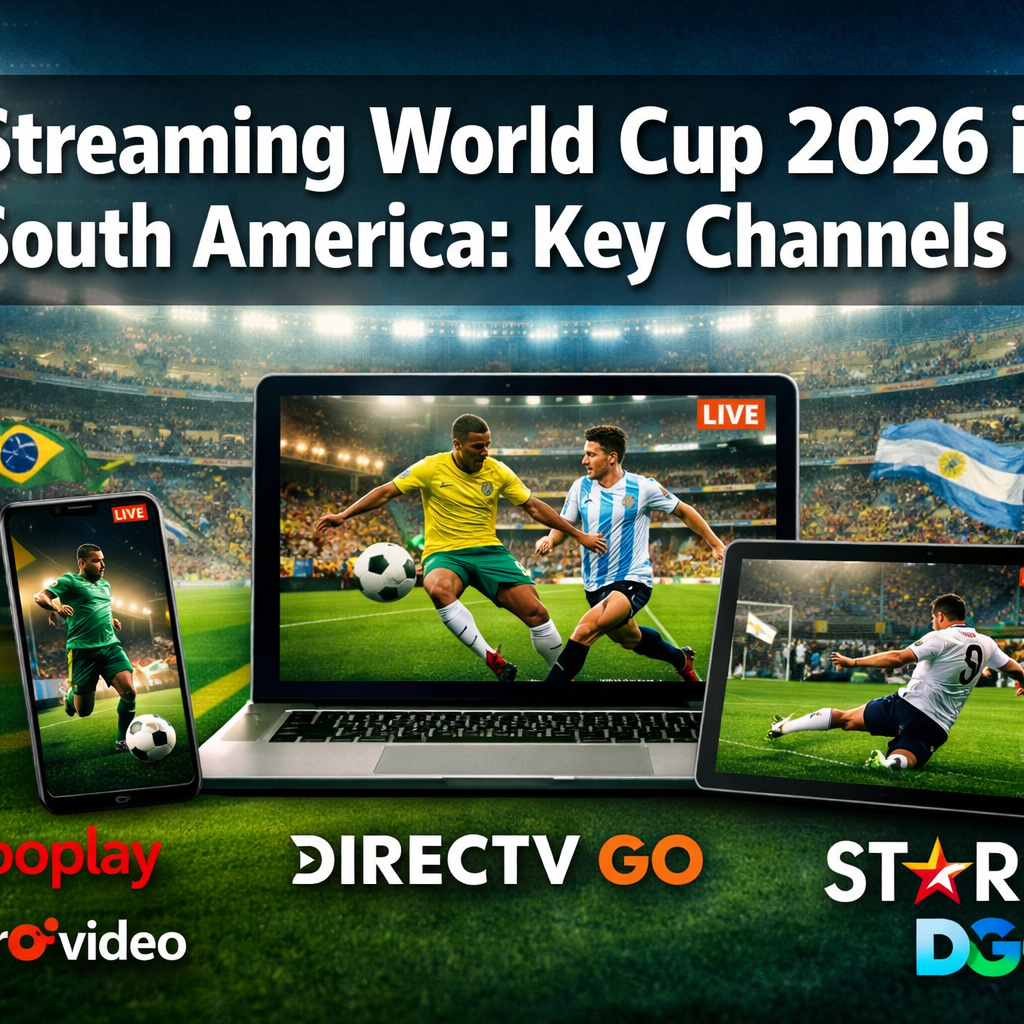
Streaming World Cup 2026 in South America: Key Channels varies significantly by country, with Brazil relying on Globoplay and SporTV, Argentina using TyC Sports Play and Flow, and Colombia accessing matches through Caracol Play and RCN Nuestra Tele. Most South American nations have secured both free-to-air broadcast options and premium streaming services, with costs ranging from free to approximately $15-30 USD monthly. Reliable internet speeds of at least 10 Mbps for HD quality and 25 Mbps for 4K streaming are essential for uninterrupted viewing.
Which channel will stream World Cup 2026?
- Brazil’s primary streaming options include Globoplay and SporTV, with Rede Globo offering free-to-air coverage for select matches
- Argentina provides access through TyC Sports Play, Flow, and public broadcaster TV Pública for free viewing
- Most South American streaming services require 10-25 Mbps internet speeds for smooth HD playback
- Premium streaming subscriptions typically cost between $10-30 USD monthly, with some free options available
- Mobile viewing is supported across all major platforms via iOS and Android apps
- Spanish and Portuguese language commentary is standard across regional streaming services
- VPN usage may be necessary for viewers outside their home country but can violate terms of service
- Backup streaming options are recommended due to potential server overload during high-profile matches
Which Streaming Services Will Show World Cup 2026 in Brazil
Brazil’s World Cup 2026 streaming landscape centers on Globoplay and SporTV, both operated by Grupo Globo, which holds exclusive broadcasting rights for the tournament. Globoplay offers all 104 matches with Portuguese commentary, while SporTV provides multi-angle viewing and expert analysis panels.
The streaming options include:
- Globoplay: Full tournament access with subscription plans starting at R$27.90 (approximately $5.50 USD) monthly
- SporTV: Available as an add-on channel through cable providers or standalone streaming at R$39.90 (approximately $8 USD) monthly
- Rede Globo (free-to-air): Broadcasting Brazil’s matches and key knockout games at no cost
- Canais Globo: Bundle package combining Globoplay, SporTV, and additional sports content for R$49.90 (approximately $10 USD) monthly
Brazilian viewers should note that Rede Globo’s free coverage is limited to approximately 40-50 matches, primarily featuring the Brazilian national team, opening matches, semifinals, and the final. For comprehensive tournament access, a paid subscription is necessary. Learn more about regional coverage in our FIFA World Cup 2026 TV Coverage & Channel List.
How Much Does It Cost to Watch World Cup Matches Online in Argentina
Argentina’s streaming costs for World Cup 2026 range from free to approximately 8,000 ARS (roughly $20 USD) monthly, depending on the platform and package selected. TV Pública, Argentina’s public broadcaster, provides completely free access to all Argentina national team matches plus select tournament games through its website and mobile app.
Cost breakdown for Argentine streaming options:
| Platform | Monthly Cost (ARS) | Monthly Cost (USD) | Coverage |
|---|---|---|---|
| TV Pública | Free | Free | Argentina matches + select games |
| TyC Sports Play | 4,500 | $11 | Full tournament access |
| Flow | 6,500-8,000 | $16-20 | All matches + additional sports |
| DirecTV GO | 7,500 | $19 | Complete tournament coverage |
Most Argentine streaming services offer flexible payment options, including monthly subscriptions that can be canceled after the tournament concludes. Bundle packages combining World Cup access with other sports content typically provide better value for long-term subscribers. First-time users often receive 7-14 day free trial periods, allowing viewers to test streaming quality before committing financially.
For additional viewing options across different regions, check our guide on How to Watch FIFA World Cup 2026 in Argentina.
Are There Free Streaming Options for World Cup Games in South America
Yes, every South American country has at least one free-to-air broadcaster showing World Cup 2026 matches, though coverage varies significantly by nation. Public broadcasters across the continent secured rights to broadcast between 30-50 matches each, prioritizing their national team’s games, opening matches, semifinals, and the final.
Free streaming options by country:
- Argentina: TV Pública (online streaming via tvpublica.com.ar)
- Brazil: Rede Globo (globoplay.globo.com for select matches)
- Chile: TVN and Mega (both offer free online streaming)
- Colombia: Caracol TV and RCN (free-to-air with online streaming)
- Peru: América TV and Latina (free broadcast and web streaming)
- Uruguay: Canal 10 and Teledoce (free access online)
- Ecuador: TC Televisión and Ecuavisa (free streaming available)
These free options typically require viewers to create a basic account with an email address and may include commercial advertisements during breaks. Geographic restrictions apply, meaning viewers must be physically located within the broadcasting country or use a VPN service. The quality usually maxes out at 720p HD, and during high-traffic matches, free platforms may experience buffering or temporary outages due to server capacity limitations.
What Internet Speed Do I Need to Stream World Cup Matches Smoothly
A minimum internet connection of 10 Mbps is required for standard HD (720p) streaming of World Cup 2026 matches without buffering, while 25 Mbps is recommended for full HD (1080p) quality. For 4K Ultra HD streaming, which select premium platforms offer, speeds of 50 Mbps or higher are necessary.
Recommended speeds by streaming quality:
- Standard Definition (480p): 3-5 Mbps
- HD (720p): 5-10 Mbps
- Full HD (1080p): 10-25 Mbps
- 4K Ultra HD (2160p): 25-50 Mbps
These speeds represent the bandwidth required per device. Households with multiple people streaming simultaneously should multiply these numbers accordingly. For example, if three family members are watching different matches in HD, the household needs approximately 30-75 Mbps total bandwidth.
Common mistake: Many viewers test their internet speed during off-peak hours and assume their connection is sufficient. During major World Cup matches, especially those involving popular teams, internet service providers often experience network congestion that reduces effective speeds by 20-40%. Testing your connection during evening hours (7-10 PM local time) provides a more accurate assessment of match-day performance.
Wired Ethernet connections consistently outperform Wi-Fi for streaming stability. If using Wi-Fi, position your device within 15-20 feet of the router and minimize physical obstacles like walls or large appliances between them.
Can I Watch World Cup 2026 on My Phone or Tablet
All major South American streaming platforms support mobile viewing through dedicated iOS and Android apps, allowing fans to watch World Cup 2026 matches on smartphones and tablets. These apps typically offer the same content as desktop versions, including live matches, replays, highlights, and multi-angle viewing options where available.
Mobile streaming capabilities:
- Download availability: Most platforms allow match downloads for offline viewing within 48 hours of live broadcast
- Data consumption: HD streaming uses approximately 1.5-3 GB per hour; standard definition uses 0.5-1 GB per hour
- Casting support: All major apps support Chromecast, AirPlay, and screen mirroring to smart TVs
- Picture-in-picture: Many apps enable continued viewing while using other phone functions
- Data-saving modes: Most platforms offer reduced quality settings to minimize data usage
Mobile viewers should ensure their device’s operating system is updated to the latest version for optimal app performance. Minimum requirements typically include iOS 13+ for Apple devices and Android 8.0+ for Android devices. Older devices may experience performance issues, particularly with HD or 4K streams.
For data-conscious viewers, downloading matches over Wi-Fi for later viewing is the most economical option. Most streaming services allow 3-5 simultaneous downloads per account, enabling families to save multiple matches for offline viewing during commutes or in areas with poor connectivity.
Differences Between Cable and Streaming World Cup Coverage in Colombia
Colombia’s World Cup 2026 coverage through traditional cable differs from streaming primarily in cost structure, flexibility, and viewing options. Caracol TV and RCN provide both cable broadcast and independent streaming services, but the experiences vary significantly.
Cable vs. streaming comparison:
Cable advantages:
- More stable connection during high-traffic matches
- No buffering issues related to internet speed
- Often includes DVR functionality for recording matches
- Better picture quality consistency
- No geographic restrictions within Colombia
Streaming advantages:
- No long-term contracts required
- Lower monthly costs (typically 40-60% less than cable)
- Watch on multiple devices simultaneously
- Access from anywhere with internet connection
- Pause, rewind, and replay functionality built-in
- No installation or equipment rental fees
Cost comparison in Colombia:
- Traditional cable packages with sports channels: 80,000-150,000 COP ($20-38 USD) monthly
- Standalone streaming services: 30,000-60,000 COP ($7-15 USD) monthly
- Free-to-air streaming: 0 COP (requires internet connection only)
Colombian viewers choosing streaming should verify their internet service provider can handle peak viewing times. During Colombia’s matches, streaming platforms experience 300-500% increases in concurrent viewers, which can strain both the platform’s servers and local internet infrastructure. Having a backup viewing option, such as free-to-air broadcast, is advisable for critical matches.
For viewers interested in other regional options, explore How to Watch FIFA World Cup 2026 Live Stream in Mexico.
Which Channels Have Exclusive World Cup Broadcasting Rights in South America
Broadcasting rights for World Cup 2026 in South America are distributed among regional media conglomerates, with each country having designated exclusive broadcasters. FIFA negotiated these rights separately with individual nations rather than implementing a continent-wide agreement.
Exclusive rights holders by country:
- Argentina: TyC Sports and TV Pública (shared rights)
- Brazil: Grupo Globo (Rede Globo, Globoplay, SporTV)
- Chile: Chilevisión and TVN
- Colombia: Caracol TV and RCN
- Ecuador: TC Televisión and Ecuavisa
- Paraguay: Tigo Sports and SNT
- Peru: América TV and Latina
- Uruguay: Canal 10 and Teledoce
- Venezuela: Venevisión and Televen
- Bolivia: Unitel and Red Uno
These exclusive agreements mean that only the designated broadcasters can legally stream or broadcast matches within their respective territories. Third-party streaming sites claiming to offer free access typically operate illegally and pose security risks including malware, phishing attempts, and credit card fraud.
Rights typically include:
- Live broadcast of all 104 tournament matches
- Pre-match and post-match analysis programming
- Highlight packages and replays
- Behind-the-scenes content and player interviews
- Multi-language commentary options (where applicable)
Viewers should purchase subscriptions directly from official broadcasters or their authorized streaming partners. Unauthorized streaming sites not only violate copyright law but also provide inferior viewing experiences with frequent interruptions, poor video quality, and unreliable access during crucial match moments.
What Happens If My Stream Cuts Out During a Critical Match
When a stream fails during a World Cup match, immediate troubleshooting steps include refreshing the browser or app, checking internet connectivity, and switching to a lower quality setting. Most streaming platforms maintain backup servers and automatically attempt to reconnect viewers within 10-30 seconds of a disruption.
Immediate recovery steps:
- Refresh the stream: Close and reopen the app or press F5 on desktop browsers
- Check internet connection: Verify other devices can access the internet
- Reduce stream quality: Switch from HD to standard definition to reduce bandwidth requirements
- Restart your router: Unplug for 30 seconds, then reconnect
- Switch devices: Move from mobile to desktop or vice versa
- Use alternative stream: Many services offer multiple server options in settings
Prevention strategies:
- Close all unnecessary applications and browser tabs consuming bandwidth
- Disconnect other devices from your Wi-Fi network during critical matches
- Use Ethernet cable instead of Wi-Fi for more stable connection
- Start watching 5-10 minutes before kickoff to identify issues early
- Keep the free-to-air broadcast option available as backup
Most streaming services include a “live rewind” feature allowing viewers who experience interruptions to resume from where they left off. This feature typically maintains a 10-15 minute buffer, meaning brief outages won’t cause you to miss critical moments. However, during high-traffic events like World Cup semifinals or finals, some platforms may disable this feature to reduce server load.
Common mistake: Repeatedly refreshing or restarting the stream during temporary server overload actually worsens the problem by creating additional connection requests. If the platform displays a “high traffic” message, waiting 60-90 seconds before attempting to reconnect is more effective than immediate repeated attempts.
For comprehensive viewing alternatives, see our complete World Cup 2026 streaming guide.
Best VPN for Watching World Cup Streams from Outside South America
Using a VPN to access South American World Cup streams from abroad requires a service with servers in your target country, reliable connection speeds above 25 Mbps, and the ability to bypass geographic restrictions. ExpressVPN, NordVPN, and Surfshark are the most reliable options for streaming South American sports content in 2026.
VPN requirements for World Cup streaming:
- Server locations in Brazil, Argentina, Colombia, Chile, and Peru
- Minimum speeds of 25-50 Mbps for HD streaming
- No bandwidth throttling or data caps
- Ability to bypass streaming platform VPN detection
- Support for multiple simultaneous device connections
- Money-back guarantee period for testing
Recommended VPN services:
| VPN Provider | South American Servers | Avg. Speed | Monthly Cost | Simultaneous Devices |
|---|---|---|---|---|
| ExpressVPN | 12+ locations | 95+ Mbps | $12.95 | 5 |
| NordVPN | 15+ locations | 85+ Mbps | $11.99 | 6 |
| Surfshark | 10+ locations | 80+ Mbps | $12.95 | Unlimited |
Important legal and ethical considerations: Using VPNs to circumvent geographic restrictions violates the terms of service for most streaming platforms. While VPN usage itself is legal in most countries, accessing content outside your licensed region may result in account suspension or termination. Additionally, you’re depriving rights holders of legitimate subscription revenue.
Setup process:
- Subscribe to a VPN service with servers in your target country
- Download and install the VPN application
- Connect to a server in the country whose streams you want to access
- Clear your browser cookies and cache
- Access the streaming platform and create an account (may require local payment method)
- Begin streaming
Some streaming platforms actively block known VPN IP addresses. If you encounter access issues, contact your VPN provider’s customer support for recommended servers that currently work with your target platform. Premium VPN services regularly update their server IP addresses to maintain access.
Recommended Streaming Platforms for Soccer Fans in Peru
Peru’s primary World Cup 2026 streaming options include América TVGO and Latina Play, both offering comprehensive tournament coverage with Spanish commentary. América TVGO provides the most extensive sports content library in Peru, while Latina Play focuses specifically on major tournaments and national team coverage.
Peruvian streaming platform comparison:
América TVGO:
- Cost: S/25 (approximately $6.50 USD) monthly
- All 104 World Cup matches
- Peruvian commentary team with former national players
- Mobile apps for iOS and Android
- 1080p HD streaming quality
- Simultaneous streaming on 2 devices
- 7-day free trial for new subscribers
Latina Play:
- Cost: S/20 (approximately $5.25 USD) monthly
- Complete World Cup coverage
- Spanish and English commentary options
- Downloadable content for offline viewing
- 720p HD streaming quality
- Single device streaming
- 14-day free trial available
Movistar Play (cable subscriber streaming):
- Included with Movistar cable packages
- Access to América TV and Latina channels
- Additional sports content from international channels
- Multi-device streaming based on cable tier
- Requires existing cable subscription
For Peruvian viewers without cable subscriptions, América TVGO offers the best value with superior streaming quality and multi-device support. The platform’s mobile app includes data-saving modes particularly useful for viewers watching on cellular networks, reducing consumption to approximately 0.7 GB per hour in economy mode while maintaining watchable quality.
Choose América TVGO if: You want the highest quality streams, plan to watch on multiple devices, or value extensive pre-match and post-match analysis.
Choose Latina Play if: Budget is your primary concern, you primarily watch on one device, or you prefer the longer trial period to test service quality before committing.
Common Streaming Problems During Live Sports Events
Streaming issues during World Cup matches typically stem from server overload, insufficient internet bandwidth, or device performance limitations. The most frequent problems include buffering, pixelation, audio desynchronization, and complete stream failure during peak viewing times.
Top streaming problems and solutions:
Buffering and lag:
- Cause: Insufficient internet speed or network congestion
- Solution: Lower stream quality to 720p or 480p, close background applications, use Ethernet instead of Wi-Fi
- Prevention: Test your connection speed 30 minutes before kickoff; minimum 10 Mbps required
Pixelated or blurry video:
- Cause: Adaptive bitrate adjusting to available bandwidth
- Solution: Manually select a lower quality setting instead of auto-adjust
- Prevention: Ensure no other devices are consuming bandwidth during the match
Audio out of sync:
- Cause: Device processing delays or stream encoding issues
- Solution: Refresh the stream, restart the app, or switch to a different device
- Prevention: Close unnecessary browser tabs and applications before streaming
Login or authentication errors:
- Cause: Server overload during high-traffic periods
- Solution: Log in 15-20 minutes before match start, keep login credentials saved
- Prevention: Verify account status and payment information days before important matches
Geographic restriction messages:
- Cause: IP address detected outside licensed broadcast region
- Solution: Disable VPN if accidentally active, or enable VPN if intentionally accessing foreign content
- Prevention: Verify account region settings match your physical location
Platform-specific error codes:
- Cause: Technical issues with streaming service infrastructure
- Solution: Check platform’s social media or status page for known issues, switch to alternative stream
- Prevention: Have backup viewing option (free-to-air broadcast or secondary streaming service)
During the 2022 World Cup, streaming platforms experienced their highest traffic during the opening match and quarterfinal rounds, with some services reporting 400% increases over normal capacity. Planning ahead by testing your streaming setup during less popular matches helps identify potential issues before critical games.
Which Streaming Service Has the Best Spanish Language Commentary
TyC Sports (Argentina) and TUDN (available in select South American markets) consistently provide the highest-rated Spanish language World Cup commentary, featuring experienced broadcasters, former professional players, and tactical analysts who offer detailed match insights beyond basic play-by-play description.
Spanish commentary quality factors:
TyC Sports strengths:
- Commentary team includes former Argentina internationals
- Detailed tactical analysis during halftime and post-match
- Multiple audio options including stadium sound only
- Regional expressions and cultural references resonate with Argentine and broader South American audiences
- Emotional, passionate commentary style traditional to Latin American football culture
TUDN advantages:
- Neutral commentary suitable for all South American audiences
- Professional production quality with minimal technical issues
- Multiple camera angles and replay options
- Balanced coverage of all teams, not just Spanish-speaking nations
- Clear, articulate commentary accessible to non-native Spanish speakers
Globo (Brazil) Portuguese commentary:
- While not Spanish, Globo’s Portuguese commentary is comprehensible to many Spanish speakers
- Legendary Brazilian commentators with decades of World Cup experience
- Highest production budget of any South American broadcaster
- Extensive pre-match and post-match studio programming
Most streaming platforms allow viewers to select from multiple audio tracks, including home team commentary, away team commentary, international feed, and stadium ambient sound only. This flexibility enables viewers to choose commentary style matching their preferences, whether passionate and emotional or analytical and tactical.
Choose TyC Sports commentary if: You prefer passionate, emotionally engaged commentary with strong tactical analysis and don’t mind Argentine-centric perspectives.
Choose TUDN commentary if: You want neutral, professional commentary that treats all teams equally and maintains consistent quality throughout the tournament.
Choose Globo Portuguese commentary if: You understand Portuguese or want the highest production value coverage, even if commentary is in a different language.
For viewers who speak both Spanish and English, comparing commentary styles across languages often enhances understanding of tactical nuances and provides different analytical perspectives on the same match events.
Frequently Asked Questions
Do I need a South American credit card to subscribe to streaming services?
Most major South American streaming platforms accept international credit cards, PayPal, and digital payment services. However, some services like Globoplay and TyC Sports Play may require a billing address within the service country. Using a VPN with a local server and purchasing prepaid gift cards from online retailers can bypass this restriction.
Can I share my streaming account with family members in different locations?
Account sharing policies vary by platform. Most services allow 2-3 simultaneous streams per account, but geographic restrictions may prevent simultaneous viewing from different countries. Family members within the same country typically experience no issues, while international sharing often triggers security alerts or account restrictions.
Will streaming quality automatically adjust based on my internet speed?
Yes, nearly all streaming platforms use adaptive bitrate streaming that automatically adjusts video quality based on available bandwidth. You can typically override this by manually selecting a specific quality level in the settings menu, though this may result in buffering if your connection can’t sustain the chosen quality.
How much data does watching a full World Cup match consume?
A 90-minute match in HD (1080p) consumes approximately 2.5-4 GB of data, while 4K streaming uses 7-10 GB. Standard definition (480p) uses 0.7-1.2 GB per match. Mobile apps typically offer data-saving modes that reduce consumption by 40-60% with minimal quality loss.
Can I watch matches after they air if I miss the live broadcast?
All major streaming platforms offer full match replays available within 1-2 hours of the final whistle. These replays typically remain accessible for 7-30 days depending on the service. Some platforms also offer condensed match versions (15-30 minutes) highlighting key moments for time-constrained viewers.
Are there streaming options for people with hearing or vision impairments?
Most major platforms include closed captioning in Spanish and Portuguese, audio description tracks for visually impaired viewers, and adjustable text size options. Accessibility features vary by platform, so checking specific service capabilities before subscribing is recommended for viewers requiring these accommodations.
What happens if I’m traveling during the World Cup?
Streaming services typically restrict access based on IP address location. If traveling within South America, you may access services from neighboring countries by subscribing to their platforms. International travel usually requires VPN services to access your home country’s streams, though this violates most platforms’ terms of service.
Do streaming services offer customer support during live matches?
Premium streaming services provide 24/7 customer support during the World Cup, including live chat, phone support, and social media assistance. Free-to-air streaming platforms typically offer limited support, primarily through FAQ sections and automated troubleshooting tools.
Can I cancel my subscription immediately after the World Cup ends?
Yes, most streaming services operate on month-to-month subscriptions without cancellation penalties. Subscriptions can typically be canceled through account settings, with access continuing until the end of the current billing period. Some platforms offer tournament-specific packages that automatically expire after the final match.
Will streaming services work on smart TVs?
All major South American streaming platforms offer dedicated apps for popular smart TV brands including Samsung, LG, Sony, and TCL. Older smart TVs may require casting from mobile devices or computers using Chromecast, AirPlay, or HDMI connections.
Are there streaming bundles that include World Cup coverage plus other sports?
Yes, platforms like Flow (Argentina), Movistar Play (Peru), and Claro Video (multiple countries) offer sports bundles including World Cup coverage, domestic league matches, Copa Libertadores, and international competitions. These bundles typically cost 30-50% more than World Cup-only packages but provide year-round sports content.
How early should I log in before a match starts?
Logging in 15-20 minutes before kickoff is recommended, especially for high-profile matches. This allows time to troubleshoot any technical issues, verify stream quality, and avoid the login surge that occurs 5-10 minutes before kickoff when servers experience peak load.
Conclusion
Streaming World Cup 2026 in South America: Key Channels requires understanding the specific broadcasting landscape of your country, with options ranging from free public broadcasters to premium streaming services offering comprehensive tournament coverage. Each South American nation has secured both accessible and premium viewing options, ensuring fans can follow their teams regardless of budget constraints.
The most important preparation steps include verifying your internet connection meets minimum speed requirements of 10-25 Mbps, testing your chosen streaming platform before critical matches, and establishing backup viewing options for high-traffic games. Viewers should subscribe to official broadcasters rather than unauthorized streaming sites to ensure reliable access and support legitimate rights holders.
For the optimal viewing experience, start by exploring free-to-air options through public broadcasters, then consider premium subscriptions if comprehensive tournament coverage is desired. Mobile viewing capabilities across all major platforms provide flexibility for fans who need to watch matches while commuting or traveling. Having multiple viewing options, including traditional broadcast as backup, ensures you won’t miss critical moments due to technical difficulties.
Take action now by testing your internet speed, researching available streaming options in your country, and signing up for free trials to evaluate service quality before the tournament begins. With proper preparation and the right streaming setup, you’ll be ready to enjoy every moment of World Cup 2026 from anywhere in South America.
For more information about global coverage, visit our guides on How to Watch FIFA World Cup 2026 in USA and How to Watch FIFA World Cup 2026 Live Stream in UK.