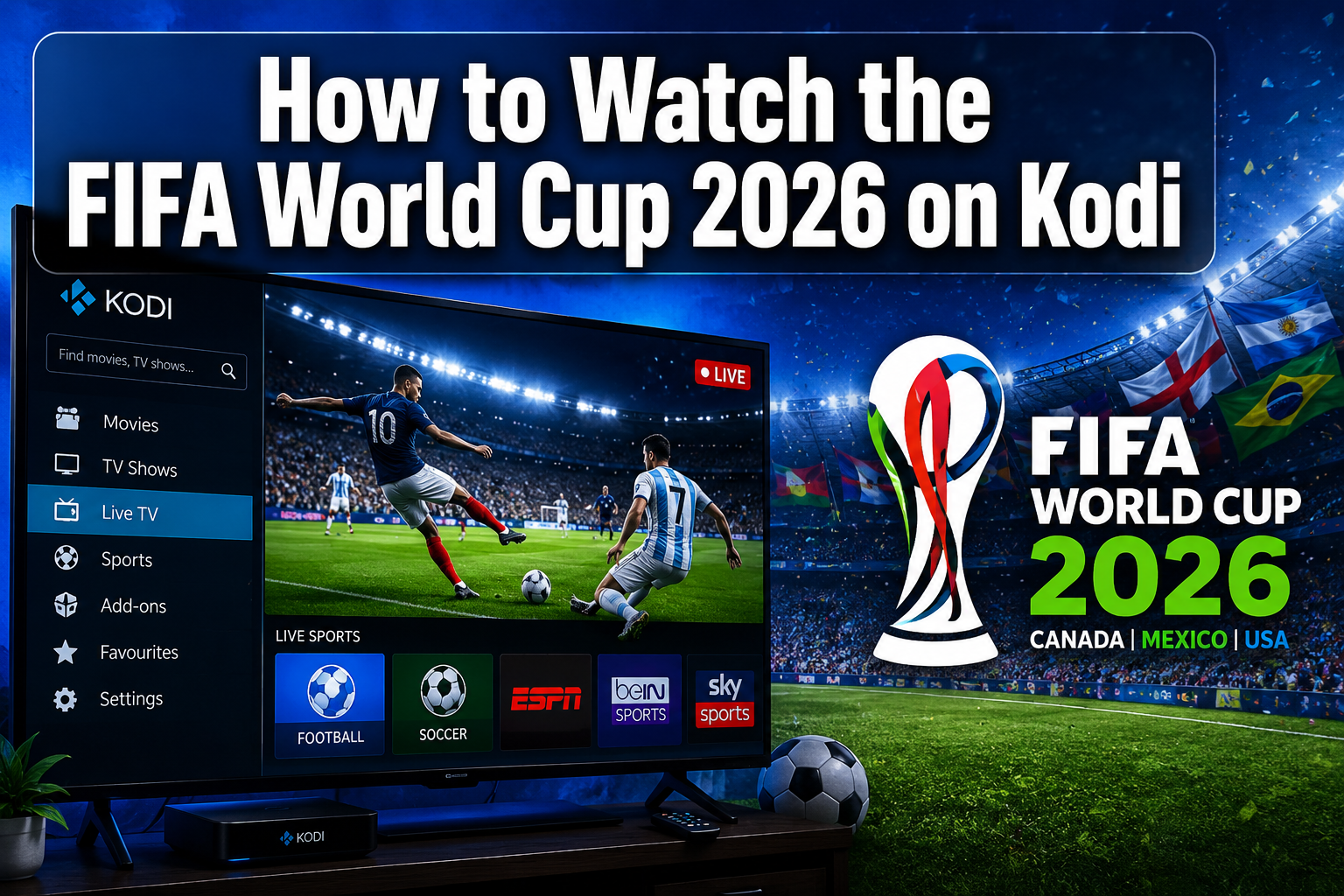
How to Watch the FIFA World Cup 2026 on Kodi
You can watch the FIFA World Cup 2026 on Kodi by installing compatible sports streaming add-ons and connecting through a VPN for security and access. Official broadcaster add-ons like BBC iPlayer, Fox Sports, and Telemundo offer legal streams, while third-party add-ons provide alternative sources. A reliable VPN, minimum 25 Mbps internet connection, and properly configured Kodi installation are essential for smooth streaming.
Key Takeaways
- Kodi itself is legal media player software, but streaming copyrighted content through unofficial add-ons may violate copyright laws in your jurisdiction
- Official broadcaster add-ons (BBC iPlayer, Fox Sports, Telemundo) provide legal World Cup streams with geo-restrictions
- A VPN is essential for accessing geo-blocked content and protecting your privacy while streaming
- Minimum 25 Mbps internet speed recommended for HD streaming, 50 Mbps for 4K quality
- Popular sports add-ons for World Cup 2026 include The Crew, Mad Titan Sports, and Rising Tides
- Free streaming through Kodi requires no subscription costs, but official broadcaster add-ons may need valid TV provider credentials
- Using unofficial streaming sources carries risks including malware, poor quality, buffering, and potential legal consequences
- Alternative platforms like YouTube TV, Peacock, and Fubo offer more reliable World Cup streaming with subscription fees
What Exactly Is Kodi and How Do I Use It for Sports Streams
Kodi is free, open-source media player software that runs on Windows, Mac, Linux, Android, iOS, and other platforms. Originally developed as Xbox Media Center (XMBC), Kodi organizes and plays your personal media files while also supporting third-party add-ons that stream content from the internet.
For sports streaming, Kodi functions as a central hub where you install add-ons that aggregate links to live broadcasts. Think of Kodi as the frame and add-ons as interchangeable lenses that determine what content you can access.
How sports streaming works on Kodi:
- Download and install Kodi from the official website (kodi.tv)
- Add repositories (storage locations for add-ons) to your Kodi installation
- Install sports-focused add-ons from these repositories
- Launch add-ons to browse available live streams and on-demand content
- Select your desired match and the add-on scrapes available streaming sources
- Choose a working link and the stream plays within Kodi’s interface
The key advantage is consolidation. Instead of hunting across multiple websites for working streams, Kodi add-ons automatically search dozens of sources and present working links in one interface.
Common mistake: Many users install Kodi but forget to enable “Unknown Sources” in settings, which prevents third-party add-on installation. Navigate to Settings > System > Add-ons and toggle “Unknown sources” to enabled before attempting to install repositories.
Are Live World Cup Matches Legal to Watch on Kodi
Kodi software itself is completely legal in all countries. The legality question centers on how you use it and which add-ons you install.
Legal streaming on Kodi includes:
- Official broadcaster add-ons (BBC iPlayer, ITV Hub, Fox Sports GO, Telemundo Deportes)
- Subscription service add-ons (YouTube TV, Peacock, Sling TV)
- Free streaming services with proper licensing (Pluto TV, Tubi)
- Your own personal media library
Legally questionable or illegal streaming includes:
- Add-ons that scrape unauthorized streams from piracy websites
- Accessing copyrighted broadcasts without proper licensing
- Bypassing geo-restrictions to access content you haven’t paid for
- Streaming from sources that don’t have broadcasting rights
The legal reality varies by country. In the United States, Canada, and most European nations, streaming copyrighted content without authorization violates copyright law, though enforcement typically targets distributors rather than individual viewers. Some countries have stricter penalties, while others rarely prosecute streaming violations.
Choose legal streaming if: You want guaranteed quality, no buffering, no malware risk, and zero legal concerns. Official broadcasters provide the most reliable World Cup experience. For viewers in the UK, USA, Canada, and Mexico, official options provide comprehensive coverage.
Best Kodi Add-ons for Watching International Soccer Tournaments
Several Kodi add-ons specialize in live sports streaming for the FIFA World Cup 2026. Add-on availability changes frequently as developers update or discontinue projects.
Official broadcaster add-ons (legal):
- BBC iPlayer – Free UK coverage, requires UK IP address
- ITV Hub – Free UK coverage, geo-restricted
- Fox Sports – US coverage, requires cable/streaming TV login
- Telemundo Deportes – Spanish-language US coverage, free with commercials
- TSN – Canadian coverage, requires subscription
- Peacock – US streaming service with World Cup rights
Third-party sports add-ons (legal status varies):
- The Crew – Popular sports add-on with multiple source scrapers
- Mad Titan Sports – Comprehensive sports coverage including soccer
- Rising Tides – Reliable for international soccer streams
- SportsDevil – Long-standing sports add-on with World Cup coverage
- DAZN – Official subscription service add-on (available in select countries)
Installation tip: Most third-party add-ons require adding a repository first. For The Crew, add the repository URL in Kodi’s file manager, then install from repository. Always verify repository URLs from official sources to avoid malicious versions.
Performance varies significantly. Official add-ons provide consistent HD quality but enforce geo-restrictions. Third-party add-ons offer more flexibility but may present multiple dead links before finding working streams. During high-demand matches like World Cup finals, even popular add-ons experience server overload.
How Much Does It Cost to Stream FIFA World Cup 2026 Through Kodi
Kodi software is completely free to download and use. The costs depend on which streaming method you choose and your location.
Free options:
- Kodi software: $0
- Free official broadcaster add-ons (BBC iPlayer, ITV Hub, Telemundo): $0
- Third-party add-ons: $0
- Total cost: $0 (plus VPN if desired)
Paid options:
- Official subscription service add-ons (Peacock Premium: $5.99/month, YouTube TV: $72.99/month, Fubo: $79.99/month)
- VPN service: $3-12/month depending on provider
- Cable/satellite TV login credentials: varies by provider
The most economical approach combines free official broadcaster add-ons with a budget VPN service (approximately $3-5/month with annual plans). This provides legal access to comprehensive World Cup coverage for under $10 monthly.
Hidden costs to consider:
- Increased internet bandwidth usage (streaming HD video consumes 3-5 GB per hour)
- Potential ISP throttling if streaming large amounts without VPN
- Time investment troubleshooting add-on issues and finding working streams
Third-party add-ons advertise as “free,” but the time spent dealing with buffering, dead links, and setup complexity has real value. For major tournaments like the World Cup, paying for official access often proves more cost-effective when factoring in reliability and time saved.
Which VPN Works Best with Kodi for World Cup Streaming
A VPN (Virtual Private Network) encrypts your internet traffic and routes it through servers in other countries, allowing you to access geo-restricted content and maintain privacy. For World Cup streaming on Kodi, VPN selection significantly impacts your experience.
Top VPN characteristics for Kodi streaming:
- Fast server speeds (minimal impact on streaming quality)
- Large server network in countries with World Cup broadcasters
- No bandwidth throttling or data caps
- Strong encryption without excessive performance overhead
- Reliable connections that don’t drop during matches
- Compatible apps for your Kodi device (Fire TV, Android, Windows, etc.)
Recommended VPN services for World Cup 2026:
ExpressVPN – Consistently fast speeds, servers in 90+ countries, excellent for streaming. Works reliably with BBC iPlayer and other geo-restricted services. Premium pricing ($12.95/month, $6.67/month annual).
NordVPN – Large server network, good speeds, budget-friendly. Strong security features. $11.99/month, $4.99/month with 2-year plan.
Surfshark – Unlimited simultaneous connections, good value. Reliable for streaming. $12.95/month, $2.49/month with 2-year plan.
CyberGhost – Optimized streaming servers, user-friendly. Slightly slower than top tier but affordable. $12.99/month, $2.19/month with 2-year plan.
Setup process:
- Subscribe to VPN service and install their app on your Kodi device
- Launch VPN app and connect to server in desired country (UK for BBC, USA for Fox Sports, etc.)
- Verify your IP address changed using whatismyip.com
- Launch Kodi and access geo-restricted add-ons
- Keep VPN connected throughout streaming session
Common mistake: Connecting to the closest VPN server for speed rather than a server in the country whose content you want to access. Always connect to a server in the same country as your target broadcaster.
Free VPNs generally provide inadequate speeds for HD streaming, impose data caps, and may log your activity. For World Cup streaming, paid VPN services deliver significantly better results.
Is Kodi Safe to Use for Watching Live Sports Events
Kodi software from the official source (kodi.tv) is completely safe and contains no malware. Safety concerns arise from third-party add-ons and unofficial Kodi builds that may contain malicious code.
Kodi safety breakdown:
Safe practices:
- Downloading Kodi from official website only
- Installing official broadcaster add-ons
- Using reputable third-party add-ons from verified developers
- Running antivirus software on your device
- Using a VPN to encrypt traffic
- Avoiding “fully loaded” Kodi boxes sold pre-configured with piracy add-ons
Risky practices:
- Installing add-ons from unknown repositories
- Downloading unofficial Kodi builds from third-party websites
- Clicking pop-up ads within poorly-coded add-ons
- Streaming without VPN protection
- Providing personal information or payment details within add-ons
- Installing every add-on that promises free content
Real security risks:
Malware and viruses – Some third-party add-ons contain malicious code that installs malware, cryptocurrency miners, or keyloggers on your device. Only install add-ons from developers with established reputations.
Privacy exposure – Streaming without a VPN exposes your IP address to every website the add-on scrapes. Your ISP can see your streaming activity, and copyright holders can potentially identify you.
Phishing attempts – Fake add-ons may request login credentials, payment information, or personal data. Legitimate Kodi add-ons never request sensitive information directly.
Legal consequences – While rare, some users have received copyright infringement notices from ISPs after streaming copyrighted content without authorization.
Protection measures:
- Install reputable antivirus software (Windows Defender, Malwarebytes, Bitdefender)
- Use VPN service with kill switch feature
- Enable Kodi’s security settings
- Regularly update Kodi and add-ons to patch vulnerabilities
- Avoid add-ons that require unusual permissions
- Research add-ons before installation
The safest approach combines official broadcaster add-ons with a quality VPN service. This eliminates malware risk while protecting your privacy and providing legal access to World Cup streams.
What Internet Speed Do I Need to Stream World Cup Matches Smoothly
Internet connection speed directly determines your streaming quality and whether you experience buffering during crucial World Cup moments. FIFA World Cup broadcasts demand higher bandwidth than typical video content due to fast motion and complex visuals.
Minimum speed requirements by quality:
- Standard Definition (480p): 3-4 Mbps
- High Definition (720p): 5-8 Mbps
- Full HD (1080p): 10-25 Mbps
- 4K Ultra HD: 25-50 Mbps
Recommended speeds for reliable streaming:
- For HD streaming: 25 Mbps minimum, 50 Mbps recommended
- For 4K streaming: 50 Mbps minimum, 100 Mbps recommended
- For multiple simultaneous streams: Add 10-25 Mbps per additional stream
These speeds represent dedicated bandwidth for streaming. If multiple devices share your connection, you need higher total speeds. A household streaming World Cup in HD while others browse, game, or work remotely should have 100+ Mbps internet.
Factors beyond raw speed:
Network congestion – Your ISP may experience slowdowns during peak usage hours (evenings, weekends) when World Cup matches typically occur. Speeds advertised as “up to” 100 Mbps may deliver significantly less during high-demand periods.
WiFi vs. Ethernet – Wired Ethernet connections provide more stable speeds than WiFi. For critical matches, connect your Kodi device directly to your router via Ethernet cable.
ISP throttling – Some internet providers throttle (intentionally slow) streaming traffic, especially from sources they identify as high-bandwidth video. A VPN prevents ISP visibility into your traffic and eliminates targeted throttling.
Server-side limitations – Even with fast internet, streaming quality depends on the source server’s capacity. Popular unofficial streams may buffer regardless of your connection speed due to server overload.
Testing your connection:
- Visit fast.com or speedtest.net
- Run speed test multiple times at different hours
- Note your lowest speed result (represents worst-case scenario)
- Test speeds with VPN connected (VPN typically reduces speeds 10-30%)
- Ensure your minimum speed exceeds requirements for your desired quality
Optimization tips:
- Close bandwidth-heavy applications during matches
- Pause automatic updates and cloud backups
- Limit connected devices during streaming
- Position WiFi router centrally or use mesh network
- Upgrade router if using outdated model (802.11ac or WiFi 6 recommended)
- Contact ISP about consistent speed issues
If your internet consistently falls below 25 Mbps, consider upgrading your plan before World Cup 2026 or accept lower-quality streams. Buffering during penalty shootouts ruins the viewing experience.
Common Mistakes People Make When Streaming Sports on Kodi
Understanding frequent errors helps you avoid frustration when setting up Kodi for FIFA World Cup 2026 streaming.
Installation and configuration mistakes:
Not enabling Unknown Sources – Kodi blocks third-party add-on installation by default. Navigate to Settings > System > Add-ons and enable “Unknown sources” before attempting to install repositories.
Installing outdated add-ons – Many tutorials reference add-ons discontinued years ago. Verify add-on status and availability before following installation guides. Check recent community forums for current working add-ons.
Skipping Kodi updates – Running outdated Kodi versions causes compatibility issues with newer add-ons. Update to the latest stable Kodi release before World Cup 2026.
Overloading with add-ons – Installing dozens of add-ons slows Kodi performance and creates conflicts. Install only 3-5 reliable sports add-ons rather than every available option.
Streaming mistakes:
Streaming without VPN – Exposing your IP address while accessing unofficial streams creates privacy and security risks. Always connect VPN before launching Kodi.
Choosing wrong VPN server location – Connecting to random VPN servers won’t grant access to geo-restricted content. Match your VPN location to your target broadcaster (UK server for BBC, US server for Fox Sports).
Not clearing cache regularly – Kodi accumulates cache files that eventually cause performance issues. Install a maintenance add-on or manually clear cache monthly.
Ignoring Real-Debrid integration – Third-party add-ons work significantly better with Real-Debrid or similar premium link services. The small monthly fee ($4-5) dramatically improves stream reliability and quality.
Clicking first available link – Not all scraped links work equally well. Test multiple sources to find the most reliable stream, especially before important matches.
Expectation mistakes:
Expecting perfect reliability from free sources – Free unofficial streams buffer, drop, and fail regularly. If reliability matters, use official broadcaster add-ons or paid services.
Assuming all add-ons are equal – Quality varies dramatically between add-ons. The Crew and Mad Titan Sports generally outperform lesser-known alternatives.
Believing “fully loaded” Kodi boxes are legal – Pre-configured devices sold with piracy add-ons installed violate copyright law in most jurisdictions and often contain outdated, non-functional add-ons.
Not testing setup before tournament starts – Waiting until opening match to configure Kodi guarantees missing crucial moments while troubleshooting. Test your complete setup days before World Cup 2026 begins.
Security mistakes:
Downloading Kodi from unofficial sources – Only download from kodi.tv to avoid malware-infected versions.
Installing add-ons from unknown repositories – Stick to established repositories with community trust. Unknown sources may contain malicious code.
Disabling antivirus for Kodi – Some users disable security software thinking it interferes with streaming. Keep antivirus active and add legitimate Kodi folders to exceptions if needed.
Alternatives to Kodi for Watching FIFA World Cup 2026
While Kodi offers flexible streaming options, several alternatives provide more reliable World Cup viewing experiences with varying cost and complexity trade-offs.
Official streaming services:
YouTube TV ($72.99/month) – Includes Fox Sports and Telemundo with full World Cup coverage. Cloud DVR functionality lets you record matches. No contract required. Learn more about watching on YouTube TV.
Peacock ($5.99/month Premium, $11.99/month Premium Plus) – NBC’s streaming service offers comprehensive World Cup coverage with Spanish and English commentary options.
Fubo ($79.99/month) – Sports-focused streaming service with Fox Sports, Telemundo, and international sports channels. Includes cloud DVR.
Sling TV ($40-55/month) – Budget option with Fox Sports and Telemundo in appropriate packages. Less comprehensive than competitors but more affordable.
Free official options:
Telemundo website/app – Free Spanish-language World Cup streaming with commercials. No subscription required but may require cable provider login for some content.
BBC iPlayer (UK) – Free with UK TV license, geo-restricted to UK IP addresses. Comprehensive coverage of all matches.
ITV Hub (UK) – Free alternative to BBC for UK viewers, also geo-restricted.
Pluto TV – Free ad-supported streaming service with some sports content, though World Cup coverage varies.
Traditional options:
Cable/Satellite TV – Fox Sports and Telemundo provide complete US coverage through traditional TV packages. Most reliable option but most expensive.
OTA Antenna – Fox broadcasts select World Cup matches over-the-air free in the US. Requires digital antenna and proximity to broadcast towers.
Sports bars and public viewing – Zero cost option with atmosphere, though less control over which matches you watch.
International streaming services:
DAZN – Available in select countries with sports streaming rights. Pricing and availability vary by region.
beIN Sports Connect – Middle East and some international markets. Requires subscription.
Optus Sport (Australia), TSN/RDS (Canada), and other regional services provide local World Cup coverage. Check our guides for India, Belgium, France, and South Africa.
Comparison: Kodi vs. alternatives
| Factor | Kodi (Free Add-ons) | Kodi (Official) | YouTube TV | Peacock | Cable TV |
|---|---|---|---|---|---|
| Cost | $0 (+ VPN) | $0-10/month | $73/month | $6/month | $80-150/month |
| Reliability | Low-Medium | High | Very High | High | Very High |
| Setup Complexity | High | Medium | Low | Low | Low |
| Legal Status | Questionable | Legal | Legal | Legal | Legal |
| Stream Quality | Variable | HD | HD/4K | HD/4K | HD/4K |
| DVR Function | No | No | Yes | Limited | Yes |
Choose Kodi if: You’re technically comfortable, want maximum flexibility, don’t mind troubleshooting, and either use official add-ons or accept the legal gray area of unofficial streams.
Choose paid streaming if: You value reliability, want guaranteed access to all matches, prefer simple setup, and can afford $6-80 monthly during the tournament.
Choose traditional TV if: You already have cable/satellite service and want the most reliable viewing experience with no internet dependency.
Which Countries Will Have Best Access to World Cup Streams on Kodi
Geographic location significantly impacts your Kodi streaming options for FIFA World Cup 2026. Broadcasting rights vary by country, creating different levels of access to official and unofficial streams.
Best access countries:
United Kingdom – BBC and ITV provide free comprehensive World Cup coverage to all UK residents. Both offer official Kodi add-ons with excellent reliability. UK viewers have the best free legal streaming options globally.
United States, Canada, and Mexico – As host nations for World Cup 2026, these countries receive extensive broadcast coverage. Fox Sports and Telemundo (US), TSN/RDS (Canada), and Televisa/TV Azteca (Mexico) provide complete tournament access. Official add-ons available for most services.
Germany – ARD and ZDF public broadcasters offer free World Cup coverage with official streaming apps that work through Kodi add-ons.
Australia – Optus Sport holds exclusive rights with dedicated streaming infrastructure. Official add-on available for subscribers.
Moderate access countries:
European Union nations – Most EU countries have established broadcasters with World Cup rights and varying levels of streaming access. Specific options depend on individual country broadcasting deals.
India – Growing streaming infrastructure with services like JioCinema and Voot offering World Cup coverage. Official apps increasingly support Kodi integration.
Brazil and Argentina – Strong soccer culture ensures comprehensive local coverage, though official Kodi add-on availability varies. Check our guides for Brazil and Argentina.
Limited access countries:
Regions with restricted internet – Countries with heavy internet censorship or limited streaming infrastructure face challenges accessing both official and unofficial streams.
Countries without broadcasting deals – Some smaller markets lack local broadcasters with World Cup rights, forcing residents to use VPN services to access foreign streams.
VPN considerations by location:
Viewers in countries with limited official options benefit most from VPN services. Connect to UK servers for BBC/ITV access, US servers for Fox Sports/Telemundo, or other countries with comprehensive free coverage.
Geo-restriction workarounds:
Most official broadcaster add-ons verify your location through IP address. VPN services reliably bypass these restrictions, though some broadcasters (particularly BBC) actively block known VPN IP addresses. Premium VPN services update their IP pools regularly to maintain access.
Language considerations:
World Cup 2026 broadcasts will be available in dozens of languages. English, Spanish, French, German, Portuguese, and Arabic commentary streams will be widely available through various add-ons. Select add-ons based on your preferred language and commentary style.
For comprehensive details on viewing options by country, check our complete TV coverage guide.
How to Set Up Kodi for High Quality Soccer Streaming
Proper Kodi configuration significantly improves streaming quality and reliability for FIFA World Cup 2026 matches. Follow this step-by-step setup process for optimal performance.
Initial Kodi installation:
- Download latest Kodi version from official website (kodi.tv)
- Choose version matching your device (Windows, Mac, Android, Fire TV, etc.)
- Install following standard procedures for your operating system
- Launch Kodi and complete initial setup wizard
- Navigate to Settings (gear icon) > System > Add-ons
- Enable “Unknown sources” and confirm warning message
Essential settings optimization:
Video settings:
- Settings > Player > Videos
- Adjust quality to “Allow 1080p” or “Allow 4K” based on your internet speed
- Enable “Sync playback to display” for smoother video
- Disable “Adjust display refresh rate” if you experience black screen issues
Cache settings:
- Install maintenance add-on (Indigo or similar)
- Increase video cache size to 150-200 MB
- Set buffer mode to “All internet filesystems”
- Configure read factor to 4.0 for better buffering
Network settings:
- Settings > System > Internet access
- Ensure “Allow remote control via HTTP” is enabled for add-on functionality
- Configure proxy settings if using VPN at router level
Installing sports add-ons:
Method 1: Official add-ons (recommended)
- Navigate to Add-ons from main menu
- Select “Download” (box icon)
- Choose “Video add-ons”
- Browse for official broadcaster add-ons (BBC iPlayer, Fox Sports, etc.)
- Click add-on and select “Install”
- Wait for installation confirmation
Method 2: Third-party add-ons
- Open Settings > File Manager
- Select “Add source”
- Enter repository URL (example: https://team-crew.github.io/)
- Name the source and click OK
- Return to home screen, select Add-ons
- Click box icon (Install from zip file)
- Select your added source and install repository zip
- Select “Install from repository”
- Choose your installed repository
- Navigate to Video add-ons and install desired add-on
Recommended add-on combination:
- BBC iPlayer (official, free UK coverage)
- Fox Sports (official, requires US TV provider)
- The Crew (third-party, multiple sources)
- Mad Titan Sports (third-party, reliable for soccer)
Performance optimization:
Install Real-Debrid or similar service:
- Subscribe to Real-Debrid (approximately $4/month)
- Install ResolveURL dependency in Kodi
- Configure ResolveURL with your Real-Debrid credentials
- Third-party add-ons will automatically use premium links
Regular maintenance:
- Clear cache weekly during World Cup tournament
- Update add-ons when notifications appear
- Remove non-functional add-ons to reduce clutter
- Restart Kodi before important matches
Pre-match testing:
Test your complete setup several days before World Cup 2026 begins:
- Connect VPN to desired server location
- Launch Kodi and open sports add-on
- Find current live soccer match
- Test multiple stream sources
- Verify video quality meets expectations
- Check audio sync and commentary language
- Note which add-ons and sources work best
Troubleshooting common issues:
No streams available: Update add-ons, clear cache, verify internet connection, try different add-on.
Buffering/stuttering: Lower video quality setting, close other applications, switch to Ethernet connection, try different stream source.
Add-on won’t install: Verify “Unknown sources” enabled, check repository URL accuracy, ensure internet connection active.
Geo-restriction errors: Verify VPN connected to correct country, clear Kodi cache, try different VPN server.
Potential Risks of Using Unofficial Kodi Streams for World Cup
While unofficial Kodi streams offer free access to FIFA World Cup 2026, several significant risks accompany this approach. Understanding these dangers helps you make informed decisions about your streaming method.
Legal risks:
Copyright infringement – Streaming copyrighted broadcasts without authorization violates copyright law in most countries. While enforcement typically targets distributors rather than individual viewers, legal risk exists.
ISP warnings and throttling – Internet service providers may send copyright infringement notices if they detect unauthorized streaming. Repeated violations can result in service throttling or termination in some jurisdictions.
Financial penalties – Though rare for individual streamers, some countries impose fines for copyright violations. Commercial establishments showing unauthorized streams face more aggressive enforcement.
VPN limitations – While VPNs provide privacy protection, they don’t make illegal activity legal. VPN providers may comply with law enforcement requests in serious cases.
Security risks:
Malware infection – Unofficial add-ons may contain malicious code that installs viruses, trojans, ransomware, or cryptocurrency miners on your device. Some malware operates silently while stealing data or using your device for botnets.
Phishing attacks – Fake add-ons may request login credentials, credit card information, or personal data. Legitimate Kodi add-ons never request sensitive information directly.
Data harvesting – Some unofficial add-ons collect browsing history, IP addresses, device information, and viewing habits for sale to data brokers or malicious actors.
Man-in-the-middle attacks – Unsecured streaming sources may intercept your connection to inject malicious code or steal transmitted data.
Quality and reliability risks:
Poor stream quality – Unofficial sources often provide lower resolution, compression artifacts, and inconsistent frame rates compared to official broadcasts.
Frequent buffering – Popular unofficial streams become overloaded during high-demand World Cup matches, causing constant buffering and interruptions.
Stream drops mid-match – Unofficial sources frequently go offline without warning, potentially during crucial match moments like penalty kicks or goals.
Wrong content – Some scraped links lead to different matches, old recordings, or completely unrelated content rather than the advertised live stream.
Delayed streams – Unofficial streams often run 30-120 seconds behind live broadcasts, spoiling goals if you follow social media during matches.
Privacy risks:
IP address exposure – Streaming without VPN exposes your IP address to every website the add-on scrapes, creating tracking and identification risks.
ISP monitoring – Internet providers can see your streaming activity if you don’t use VPN encryption, potentially leading to throttling or warnings.
Device fingerprinting – Streaming sources may collect device information to create unique fingerprints for tracking across sessions.
Risk mitigation strategies:
If you choose to use unofficial Kodi streams despite these risks:
- Always use reputable VPN service with kill switch enabled
- Install and maintain updated antivirus software
- Only install add-ons from established developers with community trust
- Never provide personal information or payment details within add-ons
- Use dedicated device for Kodi streaming (separate from devices with sensitive data)
- Regularly scan for malware and monitor device performance
- Clear Kodi cache frequently to remove potentially malicious files
- Research add-ons thoroughly before installation
The safest approach combines official broadcaster add-ons with VPN protection, eliminating legal concerns while maintaining privacy and security. For FIFA World Cup 2026, the small cost of official streaming services provides significantly better risk-reward balance than unofficial alternatives.
Frequently Asked Questions
Can I watch FIFA World Cup 2026 on Kodi for completely free?
Yes, you can watch World Cup 2026 free on Kodi using official broadcaster add-ons like BBC iPlayer (UK), ITV Hub (UK), or Telemundo (US), though you may need a VPN to access geo-restricted content. Third-party add-ons also provide free streams but carry legal and security risks.
Do I need a VPN to watch World Cup on Kodi?
A VPN isn’t technically required but is strongly recommended for accessing geo-restricted official broadcaster add-ons, protecting your privacy, preventing ISP throttling, and maintaining security when using any streaming add-ons. Quality VPN services cost $3-12 monthly.
Will Kodi work on my Amazon Fire TV Stick for World Cup streaming?
Yes, Kodi runs excellently on Fire TV Stick and Fire TV devices. Download Kodi from the Amazon App Store or sideload from the official website, then install sports add-ons following standard procedures. Fire TV Stick 4K recommended for best streaming quality.
What happens if my Kodi stream buffers during an important World Cup match?
If buffering occurs, try switching to a different stream source within your add-on, lowering video quality settings, closing other applications using bandwidth, connecting via Ethernet instead of WiFi, or restarting Kodi. Having multiple add-ons installed provides backup options.
Are pre-configured “fully loaded” Kodi boxes legal to buy?
Kodi boxes themselves are legal, but devices sold pre-configured with piracy add-ons violate copyright law in most jurisdictions. These devices also typically contain outdated, non-functional add-ons. Purchase standard streaming devices and configure Kodi yourself for better results.
Can I record World Cup matches on Kodi to watch later?
Kodi includes PVR (Personal Video Recorder) functionality, but recording capability depends on your specific add-on and streaming source. Official broadcaster add-ons rarely support recording. For DVR functionality, consider YouTube TV, Fubo, or similar services that include cloud DVR.
How many devices can I install Kodi on for World Cup viewing?
You can install Kodi on unlimited devices since it’s free open-source software. However, streaming simultaneously from multiple devices requires adequate internet bandwidth (add 10-25 Mbps per additional HD stream). VPN services typically limit simultaneous connections to 5-10 devices.
Will using Kodi slow down my internet for other devices?
Streaming HD video through Kodi consumes 5-25 Mbps bandwidth depending on quality settings. If your total internet speed is limited, Kodi streaming will reduce available bandwidth for other devices. Upgrade your internet plan or stream at lower quality to minimize impact.
Do official broadcaster add-ons on Kodi require cable TV subscriptions?
Requirements vary by broadcaster. BBC iPlayer and ITV Hub are free (UK TV license required for BBC), Telemundo offers free streaming with commercials, while Fox Sports requires cable/streaming TV provider login credentials. Check specific add-on requirements before installation.
Can I watch World Cup 2026 on Kodi in 4K quality?
4K streaming availability depends on your add-on source and internet speed. Official broadcasters offering 4K World Cup coverage (Fox Sports, BBC) may provide 4K streams through their add-ons. You need minimum 50 Mbps internet, 4K-capable device, and 4K television to benefit from ultra-high-definition streams.
What should I do if my sports add-on stops working during the World Cup?
Add-ons frequently break due to source changes or developer updates. First, check for add-on updates in Kodi’s settings. If updates don’t resolve issues, search Kodi community forums for reported problems and solutions. Always maintain 2-3 backup add-ons for redundancy during important tournaments.
Is it better to use Kodi or just stream from websites directly?
Kodi consolidates multiple streaming sources in one interface and provides better organization than hunting across websites. However, Kodi requires more initial setup time. For occasional viewing, websites may suffice. For comprehensive World Cup coverage, Kodi’s centralized approach offers advantages once properly configured.
Conclusion
Watching the FIFA World Cup 2026 on Kodi offers flexible streaming options ranging from free official broadcaster add-ons to third-party alternatives with varying legal status. The safest and most reliable approach combines official add-ons like BBC iPlayer, Fox Sports, or Telemundo with a quality VPN service for privacy and geo-restriction access.
Success requires proper setup: install Kodi from official sources, enable unknown sources for add-on installation, optimize video and cache settings, and test your configuration before tournament matches begin. Maintain minimum 25 Mbps internet speed for HD streaming and 50 Mbps for 4K quality.
While unofficial third-party add-ons provide free access, they carry significant risks including malware, poor reliability, buffering during high-demand matches, and potential legal consequences. The small investment in official streaming services or broadcaster add-ons delivers dramatically better quality and eliminates security concerns.
For comprehensive World Cup 2026 coverage, install multiple add-ons as backups, keep software updated, use VPN protection, and consider Real-Debrid integration for improved third-party add-on performance. Test everything several days before opening matches to troubleshoot issues without missing crucial moments.
Review our detailed guides for official viewing options in your country, check the complete tournament schedule, and explore everything you need to know about World Cup 2026 to prepare for the tournament. With proper preparation, Kodi can serve as your central hub for enjoying every match of the world’s biggest sporting event.
SEO Meta Title: Watch FIFA World Cup 2026 on Kodi: Complete Setup Guide