How to Watch FIFA World Cup 2026 on Smart TVs
Quick Answer
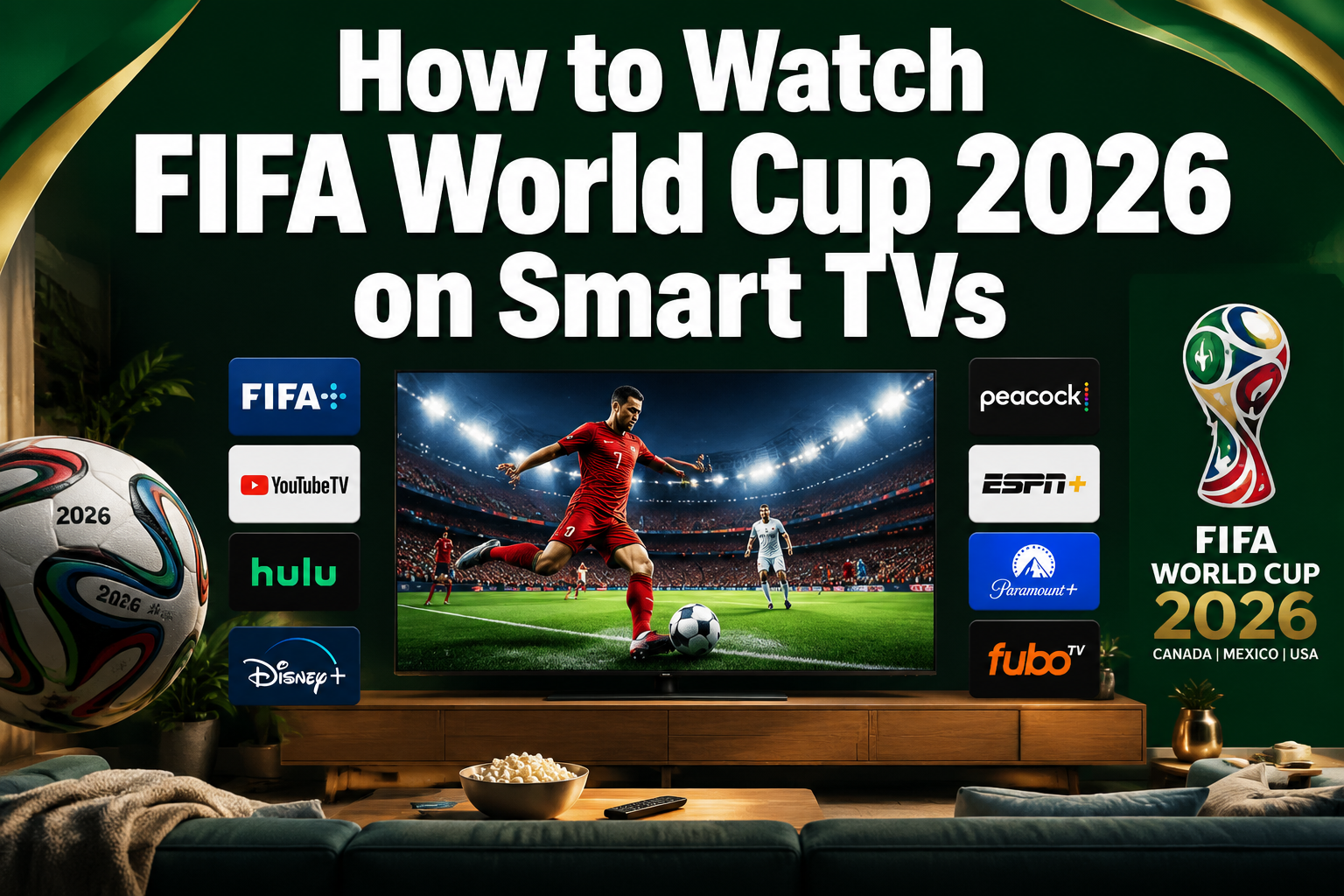
The FIFA World Cup 2026 will be available on smart TVs through multiple streaming platforms including Fox Sports, Peacock, YouTube TV, and Sling TV, with most requiring a subscription starting around $7-80 per month. You can access these services directly through your smart TV’s built-in apps, casting from mobile devices, or using streaming devices like Roku and Fire TV Stick for older models.
Key Takeaways
- Fox Sports and Peacock are the primary US broadcasters offering comprehensive World Cup 2026 coverage on smart TVs
- YouTube TV, Sling TV, and Hulu Live provide cable-free alternatives starting at $40-80 monthly
- 4K streaming requires compatible smart TVs and internet speeds of at least 25 Mbps
- Older smart TV models can access streams through Roku, Fire TV Stick, or Chromecast devices
- Free options are limited but include some matches on Fox’s free tier and Tubi
- International viewers need VPN services to access US streaming platforms
- Casting from smartphones works seamlessly with Samsung, LG, and most modern smart TV brands
What Streaming Apps Will Show FIFA World Cup 2026 on Smart TV
Fox Sports and Peacock will be the primary streaming platforms for FIFA World Cup 2026 coverage in the United States. Fox Sports holds exclusive English-language broadcast rights, while Peacock provides Spanish-language coverage and additional match content.
Primary Streaming Services:
- Fox Sports App – All 104 matches with English commentary
- Peacock – Spanish coverage plus exclusive content ($7.99/month)
- YouTube TV – Includes Fox Sports channels ($72.99/month)
- Sling TV – Fox Sports access starting at $40/month
- Hulu + Live TV – Complete Fox Sports package ($76.99/month)
- FuboTV – Sports-focused streaming with 4K options ($79.99/month)
Most smart TV platforms including Samsung Tizen, LG webOS, Android TV, and Roku TV support these apps natively. Download the apps directly from your TV’s app store for the best streaming experience.
Choose Fox Sports App if you want direct access without cable alternatives. Choose YouTube TV or Hulu Live if you prefer comprehensive channel packages that include local Fox affiliates.
How to Cast World Cup 2026 to Samsung Smart TV
Samsung Smart TVs support multiple casting methods for World Cup 2026 streaming. The built-in SmartThings and AirPlay 2 compatibility make casting seamless from both Android and iOS devices.
Casting Methods for Samsung TVs:
- SmartThings App – Direct casting from Samsung phones and tablets
- AirPlay 2 – Wireless casting from iPhone, iPad, and Mac devices
- Screen Mirroring – Built-in feature for Android devices
- Chromecast Built-in – Available on 2020+ Samsung models
Step-by-Step Casting Process:
- Ensure your Samsung TV and mobile device connect to the same Wi-Fi network
- Open your preferred streaming app (Fox Sports, Peacock, YouTube TV)
- Tap the cast icon and select your Samsung TV from the device list
- The stream will appear on your TV within 3-5 seconds
Common mistake: Using older Samsung models (2018 and earlier) that lack modern casting protocols. These require external devices like Chromecast or Roku streaming sticks for reliable casting.
Best Smart TV for Watching FIFA World Cup 2026
Samsung QN90C Neo QLED and LG C3 OLED TVs offer the optimal FIFA World Cup 2026 viewing experience with native 4K streaming support, comprehensive app ecosystems, and low input lag for real-time sports action.
Top Smart TV Recommendations:
- Samsung QN90C Series – Excellent brightness for daytime viewing, full Fox Sports app support
- LG C3 OLED – Perfect blacks and color accuracy, webOS platform with all streaming apps
- Sony X90L – Google TV platform, superior motion handling for sports
- TCL 6-Series – Budget-friendly option with Roku TV built-in, 4K HDR support
Essential Features for World Cup Streaming:
- 4K HDR support for Fox Sports’ premium streams
- Wi-Fi 6 connectivity for stable high-bandwidth streaming
- 120Hz refresh rate for smooth motion during fast-paced matches
- Multiple HDMI 2.1 ports for external streaming devices
Choose Samsung if you prioritize bright, vibrant colors for daytime viewing. Choose LG OLED if you prefer deep contrast and plan to watch primarily in darker rooms. Budget-conscious viewers should consider TCL models with built-in Roku for comprehensive app support.
FIFA World Cup 2026 Streaming Cost on Smart TV
Streaming FIFA World Cup 2026 on smart TVs ranges from free limited coverage to $80 monthly for premium packages. Most comprehensive options fall between $40-75 per month for the tournament duration.
Streaming Service Pricing:
- Peacock Premium – $7.99/month (Spanish coverage + extras)
- Sling TV Orange – $40/month (Fox Sports access)
- YouTube TV – $72.99/month (all Fox channels + locals)
- Hulu + Live TV – $76.99/month (Fox Sports + on-demand)
- FuboTV Pro – $79.99/month (sports-focused with 4K)
- Fox Sports App – Free tier (limited matches) + premium options
Cost-Saving Strategies:
- Subscribe only during the tournament (June-July 2026)
- Share family plans with up to 6 users on most services
- Use free trials strategically across different platforms
- Cancel immediately after the final match to avoid ongoing charges
Most economical approach: Peacock Premium for $7.99 covers Spanish-language matches, while Fox’s free tier provides select English coverage. Best value for comprehensive coverage: YouTube TV offers the most complete package including local Fox affiliates and DVR functionality.
Can I Watch World Cup 2026 Free on Smart TV
Limited free FIFA World Cup 2026 coverage is available through Fox’s over-the-air broadcasts and select streaming platforms, but comprehensive tournament access requires paid subscriptions.
Free Viewing Options:
- Local Fox affiliates – Over-the-air antenna reception for select matches
- Fox Sports free tier – Limited match selection on smart TV apps
- Tubi – Fox-owned platform may offer highlight packages
- Library streaming – Some public libraries provide free access to streaming services
Free Trial Strategies:
- YouTube TV – 7-day free trial during tournament start
- Hulu Live – 3-day trial for key knockout matches
- FuboTV – 7-day trial for final week coverage
- Sling TV – First month discounts and trial periods
Limitations of free options: Most free coverage includes only 10-15 matches compared to the full 104-match tournament. Free streams often lack 4K quality and may include more commercial interruptions.
Choose free options if you only want to watch your country’s matches or major finals. Invest in paid services if you plan to follow multiple teams throughout the tournament.
How to Watch World Cup 2026 on LG webOS Smart TV
LG webOS smart TVs provide native access to all major FIFA World Cup 2026 streaming platforms through the LG Content Store, with optimized apps for Fox Sports, Peacock, and major streaming services.
Installing Streaming Apps on LG webOS:
- Press the Home button on your LG remote
- Navigate to the LG Content Store
- Search for “Fox Sports,” “Peacock,” or “YouTube TV”
- Select and install your preferred streaming apps
- Sign in with your subscription credentials
webOS-Specific Features:
- Magic Remote voice search for quick app launching
- Multi-View split-screen for watching multiple matches simultaneously
- Sports Alert notifications for match start times
- ThinQ AI integration for voice-controlled streaming
Supported World Cup 2026 Apps:
- Fox Sports (native 4K support)
- Peacock (HDR streaming)
- YouTube TV (full channel guide integration)
- Sling TV (optimized interface)
- Hulu Live TV (seamless casting)
Common webOS issue: Older LG models (2018-2019) may lack some newer streaming apps. Use the built-in web browser or connect external streaming devices for full compatibility.
World Cup 2026 Streaming Buffering Issues on Smart TV
Streaming buffering during FIFA World Cup 2026 matches typically results from insufficient internet speeds, network congestion, or outdated smart TV software. Most issues resolve with basic troubleshooting steps.
Primary Causes of Buffering:
- Internet speed below 25 Mbps for 4K streams
- Wi-Fi interference from multiple connected devices
- Outdated smart TV firmware lacking streaming optimizations
- Peak viewing traffic during popular matches
Immediate Buffering Solutions:
- Lower stream quality from 4K to 1080p in app settings
- Restart your router and smart TV to clear network cache
- Use ethernet connection instead of Wi-Fi when possible
- Close background apps on your smart TV to free up processing power
- Update streaming apps to latest versions
Network Optimization Tips:
- Position router within 30 feet of your smart TV
- Use 5GHz Wi-Fi band instead of congested 2.4GHz
- Limit other devices’ bandwidth usage during matches
- Consider mesh network systems for large homes
When to contact your ISP: Consistent buffering despite 50+ Mbps speeds indicates potential network throttling or infrastructure issues requiring professional diagnosis.
Do I Need Cable Subscription to Watch World Cup 2026 on Smart TV
No cable subscription is required to watch FIFA World Cup 2026 on smart TVs. Multiple streaming-only services provide complete tournament coverage without traditional cable packages.
Cable-Free Streaming Options:
- Peacock Premium – Standalone streaming at $7.99/month
- Sling TV – Internet-only service starting at $40/month
- YouTube TV – Streaming alternative to cable at $72.99/month
- Hulu + Live TV – No cable required, $76.99/month
- Fox Sports App – Direct streaming with subscription
Advantages of Streaming vs. Cable:
- Lower monthly costs compared to traditional cable packages
- No installation fees or technician visits required
- Cancel anytime without long-term contracts
- Multiple device access for watching anywhere
- Cloud DVR functionality for recording matches
Internet Requirements Only:
Most services need 25+ Mbps for 4K streaming and 10+ Mbps for HD quality. Your existing home internet connection likely supports World Cup streaming without additional cable services.
Choose streaming services if you want flexibility and lower costs. Consider cable if you already have bundled internet/TV packages that include Fox Sports channels at competitive rates.
How to Watch World Cup 2026 on Older Smart TV Models
Older smart TVs (2018 and earlier) can access FIFA World Cup 2026 streams through external streaming devices, screen mirroring, or updated firmware when available.
Solutions for Older Smart TVs:
- Roku Express 4K+ – $39 device adds all streaming apps
- Amazon Fire TV Stick 4K Max – $54 with Alexa voice control
- Chromecast with Google TV – $49 for full Android TV experience
- Apple TV 4K – Premium $179 option with superior performance
Screen Mirroring Alternatives:
- Android phones – Use built-in screen mirroring to compatible TVs
- iPhone/iPad – AirPlay to Apple TV or AirPlay-compatible models
- Laptop HDMI – Direct wired connection for reliable streaming
- Tablet casting – Wireless display options for most devices
Firmware Update Process:
- Check your TV manufacturer’s support website
- Navigate to Settings > System Update on your TV
- Install available updates that may add new streaming apps
- Restart your TV after updates complete
Most cost-effective solution: Roku Express 4K+ provides comprehensive streaming app access for under $40. Best performance upgrade: Fire TV Stick 4K Max offers faster processing and voice search capabilities.
What Internet Speed Needed for World Cup 2026 on Smart TV
FIFA World Cup 2026 streaming requires minimum internet speeds of 5 Mbps for HD quality and 25 Mbps for 4K streams, with higher speeds recommended for multiple simultaneous viewers.
Recommended Internet Speeds:
- HD streaming (1080p) – 10-15 Mbps per device
- 4K streaming – 25-35 Mbps per device
- Multiple viewers – Add 10 Mbps per additional stream
- Household usage – 50+ Mbps for family streaming during matches
Speed Testing and Optimization:
- Test current speeds using Fast.com or Speedtest.net
- Run tests during peak hours (7-9 PM) for realistic measurements
- Test Wi-Fi vs. ethernet to identify connection bottlenecks
- Contact ISP if speeds consistently fall below advertised rates
Bandwidth Management Tips:
- Pause automatic updates and cloud backups during matches
- Limit video calls and large downloads during streaming
- Use Quality of Service (QoS) router settings to prioritize streaming traffic
- Consider upgrading internet plans if multiple 4K streams are needed
Internet speed troubleshooting: If you have sufficient bandwidth but experience buffering, the issue likely involves Wi-Fi interference, outdated equipment, or streaming service capacity rather than raw internet speed.
FIFA World Cup 2026 4K Streaming Smart TV Requirements
4K FIFA World Cup 2026 streaming requires compatible smart TVs with HDCP 2.2 support, HEVC decoding capabilities, and robust internet connections of 25+ Mbps for optimal viewing quality.
Essential 4K TV Specifications:
- HDCP 2.2 compatibility for content protection
- HEVC (H.265) decoding for efficient 4K compression
- HDR10 or Dolby Vision support for enhanced color range
- 60Hz refresh rate minimum for smooth sports motion
- Wi-Fi 5 (802.11ac) or newer for stable high-bandwidth streaming
4K-Compatible Streaming Services:
- Fox Sports – Select matches in 4K HDR
- YouTube TV – 4K add-on for $19.99/month
- FuboTV – Included 4K sports coverage
- Peacock – Limited 4K content for premium subscribers
Network Requirements for 4K:
- 35 Mbps minimum for consistent 4K streaming
- Ethernet connection preferred over Wi-Fi for stability
- Router with QoS to prioritize streaming traffic
- Minimal network congestion during match times
4K streaming limitations: Not all World Cup 2026 matches will broadcast in 4K. Fox Sports typically reserves 4K coverage for marquee matches, semifinals, and the final. Check our 4K viewing guide for specific match availability.
How to Watch World Cup 2026 Outside US on Smart TV
International viewers can access FIFA World Cup 2026 US streams on smart TVs using VPN services, local broadcaster apps, or region-specific streaming platforms depending on their location.
VPN Solutions for US Streams:
- ExpressVPN – Reliable US server access for Fox Sports and Peacock
- NordVPN – Fast streaming speeds with Smart DNS features
- Surfshark – Budget option with unlimited device connections
- CyberGhost – Optimized streaming servers for sports content
Regional Broadcasting Alternatives:
- BBC iPlayer/ITV (UK) – Free with TV license
- CBC Sports (Canada) – Comprehensive coverage
- SBS (Australia) – Free-to-air World Cup broadcasts
- ARD/ZDF (Germany) – Public broadcaster coverage
Smart TV VPN Setup:
- Router-level VPN – Protects all connected devices including smart TVs
- Smart DNS services – Easier setup for TVs without native VPN apps
- Casting with VPN – Use VPN on phone/laptop and cast to TV
- VPN-enabled streaming devices – Install VPN apps on Fire TV or Android TV boxes
Legal considerations: Check local broadcasting rights and VPN usage laws in your country. Many regions have official broadcasters offering free or low-cost World Cup coverage that may be preferable to VPN solutions.
Roku vs Fire Stick for Watching World Cup 2026
Both Roku and Amazon Fire TV Stick provide excellent FIFA World Cup 2026 streaming capabilities, with Roku offering broader app compatibility and Fire TV Stick providing superior voice control and 4K performance.
Roku Advantages:
- Universal app support – All major streaming services available
- Simple interface – Easy navigation for all age groups
- No ecosystem bias – Equal treatment of competing streaming services
- Regular updates – Consistent performance improvements
- Lower cost – Roku Express starts at $29.99
Fire TV Stick Advantages:
- Alexa integration – Voice search and smart home control
- 4K Max performance – Faster processor for smoother streaming
- Amazon Prime benefits – Integrated shopping and content recommendations
- Gaming capabilities – Additional entertainment options
- Dolby Atmos support – Enhanced audio for sports broadcasts
World Cup 2026 Streaming Performance:
Both devices handle Fox Sports, Peacock, YouTube TV, and other streaming apps without issues. Fire TV Stick 4K Max provides slightly better performance for 4K streams, while Roku offers more reliable long-term software support.
Choose Roku if you prioritize simplicity and broad app compatibility. Choose Fire TV Stick if you want advanced voice features and already use Amazon services. For detailed Roku setup instructions, see our complete Roku streaming guide.
World Cup 2026 Smart TV Streaming vs Cable Comparison
Streaming FIFA World Cup 2026 on smart TVs offers significant cost savings and flexibility compared to traditional cable, though cable provides more reliable performance during peak viewing periods.
Cost Comparison:
- Cable with Fox Sports – $80-120/month with 1-2 year contracts
- Streaming services – $40-80/month with monthly cancellation options
- Tournament-only costs – $80-160 total for streaming vs. $160-240+ for cable
- Equipment fees – $10-15/month for cable boxes vs. one-time streaming device costs
Performance Differences:
- Cable reliability – Less susceptible to internet congestion
- Streaming flexibility – Watch on multiple devices, pause/rewind capabilities
- Picture quality – Both offer 4K options, streaming may have slight compression
- Channel selection – Cable includes more sports channels, streaming focuses on specific needs
Convenience Factors:
- Installation – Streaming requires no technician visits
- Portability – Stream on phones, tablets, laptops anywhere
- DVR functionality – Cloud DVR vs. traditional cable DVR storage
- Contract flexibility – Cancel streaming anytime vs. cable early termination fees
Best choice for World Cup 2026: Streaming services provide better value for tournament-specific viewing, while cable makes sense for year-round sports fans who want comprehensive channel packages.
Frequently Asked Questions
Can I watch FIFA World Cup 2026 for free on my smart TV?
Limited free coverage is available through local Fox affiliates using an antenna and select matches on Fox Sports’ free tier, but comprehensive tournament access requires paid streaming subscriptions starting around $40/month.
Which streaming service has the most World Cup 2026 matches?
Fox Sports provides all 104 FIFA World Cup 2026 matches in English, accessible through Fox Sports App, YouTube TV, Hulu Live, Sling TV, and other services that include Fox Sports channels.
Do I need a 4K TV to watch World Cup 2026?
No, standard HD TVs work perfectly for World Cup streaming. 4K enhances the viewing experience but isn’t required, and not all matches will be broadcast in 4K format.
Can older smart TVs from 2018 stream World Cup 2026?
Yes, but you may need external devices like Roku, Fire TV Stick, or Chromecast if your TV’s built-in apps don’t support current streaming services or lack sufficient processing power.
What internet speed do I need for smooth World Cup streaming?
Minimum 10 Mbps for HD streaming and 25 Mbps for 4K. Households with multiple viewers should have 50+ Mbps to avoid buffering during popular matches.
Can I use my phone to cast World Cup matches to my smart TV?
Yes, most modern smart TVs support casting from smartphones through built-in Chromecast, AirPlay, or manufacturer-specific casting protocols like Samsung SmartThings.
Is Peacock required to watch World Cup 2026?
Peacock is only required for Spanish-language coverage and exclusive content. English coverage is available through Fox Sports on multiple streaming platforms without needing Peacock.
How much does it cost to stream the entire World Cup 2026 tournament?
Costs range from $80-160 for the full tournament depending on your chosen service, with options to subscribe monthly and cancel after the final match to minimize expenses.
Can I watch World Cup 2026 on multiple TVs simultaneously?
Most streaming services allow 2-4 simultaneous streams, enabling multiple TV viewing within the same household using a single subscription account.
What happens if my internet goes out during a match?
Streaming requires continuous internet connection. Consider having mobile data backup through your phone’s hotspot feature or watching at locations with reliable internet during crucial matches.
Do streaming services offer DVR for World Cup matches?
Yes, YouTube TV, Hulu Live, and most streaming services include cloud DVR functionality, allowing you to record matches and watch later without spoilers.
Can I watch World Cup 2026 while traveling with my smart TV login?
Streaming services typically allow access from different locations within the US using your regular login credentials, though some may require location verification for local channel access.
For comprehensive coverage details and regional alternatives, check our guides on watching in the USA and streaming without cable.
Conclusion
Watching FIFA World Cup 2026 on smart TVs offers unprecedented flexibility and value compared to traditional cable options. With streaming services ranging from $7.99 to $79.99 monthly, viewers can choose coverage levels that match their needs and budgets while enjoying features like 4K streaming, cloud DVR, and multi-device access.
The key to optimal World Cup streaming lies in matching your smart TV’s capabilities with appropriate streaming services and internet speeds. Modern TVs with built-in apps provide seamless access, while older models benefit from affordable streaming devices like Roku or Fire TV Stick.
Start by testing your internet speed and updating your smart TV’s firmware before the tournament begins. Consider subscribing to streaming services just before the opening ceremony to minimize costs, and explore free trial options strategically throughout the tournament. With proper preparation, your smart TV will deliver an exceptional FIFA World Cup 2026 viewing experience that rivals or exceeds traditional broadcast quality.