How to Watch FIFA World Cup 2026 on IPTV
IPTV (Internet Protocol Television) allows you to stream FIFA World Cup 2026 matches through internet-based services rather than traditional cable or satellite. Legal IPTV providers like YouTube TV, Hulu + Live TV, and Sling TV offer comprehensive World Cup coverage starting at $35-70 monthly, while illegal services pose significant risks including poor quality streams and legal consequences.
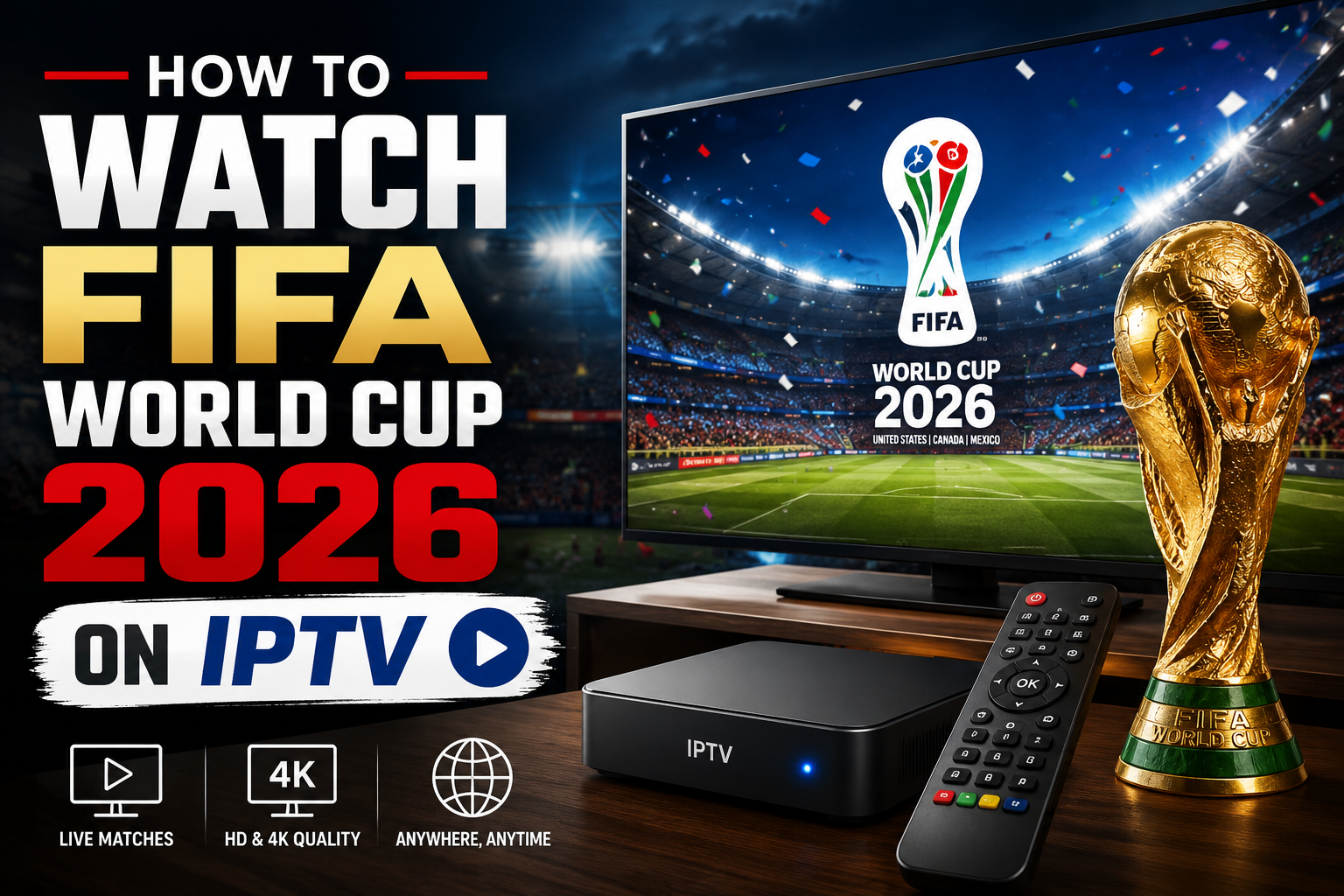
FIFA World Cup 2026 on IPTV
- Legal IPTV services provide reliable World Cup 2026 streaming with official broadcaster channels
- Internet speed requirements: Minimum 25 Mbps for 4K streaming, 10 Mbps for HD quality
- Cost range: $35-70 monthly for legitimate IPTV services with sports packages
- Device compatibility: Works on smart TVs, streaming sticks, mobile devices, and computers
- VPN considerations: May be needed for geo-restricted content but check service terms
- Buffering solutions: Upgrade internet speed, use wired connections, and close background apps
- Free options: Limited legitimate free IPTV for World Cup; most require paid subscriptions
- Setup time: 15-30 minutes for most devices with step-by-step installation guides
What Is IPTV and How Does It Work for Live Sports
IPTV delivers television content through internet protocols instead of traditional broadcast methods like cable or satellite. For live sports like the FIFA World Cup 2026, IPTV services stream matches in real-time through your internet connection to compatible devices.
The technology works by converting video signals into data packets that travel through your internet connection. When you select a World Cup match, the IPTV service streams the content directly to your device, allowing you to watch live or on-demand.
Key advantages for sports viewing:
- No cable installation required
- Multi-device streaming capabilities
- Cloud DVR functionality for recording matches
- On-demand replays and highlights
- Lower monthly costs compared to traditional cable
Choose IPTV for World Cup 2026 if you want flexibility in viewing locations and devices, or if traditional cable isn’t available in your area.
Best IPTV Services for World Cup 2026 Streaming
YouTube TV, Hulu + Live TV, and Sling TV lead the legitimate IPTV options for FIFA World Cup 2026 coverage. These services partner with official broadcasters to provide legal, high-quality streams.
Top IPTV Providers for World Cup 2026:
| Service | Monthly Cost | World Cup Channels | Free Trial |
|---|---|---|---|
| YouTube TV | $72.99 | FOX, FS1, Telemundo | 7 days |
| Hulu + Live TV | $69.99 | FOX, FS1, ESPN | 3 days |
| Sling TV | $35-55 | FOX, FS1 (varies by package) | 3 days |
| FuboTV | $74.99 | FOX, FS1, Telemundo | 7 days |
Selection criteria to consider:
- Channel lineup: Ensure your provider includes official World Cup broadcasters
- Streaming quality: Look for 4K support if you have compatible equipment
- Device compatibility: Verify support for your preferred viewing devices
- DVR features: Cloud recording for matches in different time zones
For comprehensive World Cup coverage, YouTube TV and FuboTV offer the most complete channel packages, while Sling TV provides budget-friendly options with essential channels.
Is Watching World Cup on IPTV Legal
Watching FIFA World Cup 2026 on IPTV is completely legal when using licensed services that have broadcasting rights. Services like YouTube TV, Hulu + Live TV, and other legitimate providers pay licensing fees to stream official content.
Legal IPTV services include:
- Licensed streaming platforms (YouTube TV, Hulu + Live TV)
- Official broadcaster apps and websites
- Subscription-based sports streaming services
- Cable company streaming apps
Illegal IPTV services typically:
- Offer “too good to be true” pricing (under $20/month for everything)
- Provide access to premium channels without proper licensing
- Operate through unofficial apps or websites
- Lack customer support or official business registration
Risks of illegal IPTV services:
- Legal consequences: Potential fines or legal action
- Poor streaming quality: Frequent buffering and outages during crucial matches
- Security threats: Malware and data theft risks
- No customer support: No recourse when service fails
Choose legal IPTV providers to ensure reliable World Cup 2026 viewing and avoid legal complications.
How Much Does IPTV Cost for Sports Channels
IPTV services with comprehensive sports coverage for FIFA World Cup 2026 range from $35-75 monthly, depending on channel selection and features. Budget options start at $35 but may lack key World Cup broadcasters.
Pricing breakdown by service tier:
Budget Tier ($35-45/month):
- Sling Orange + Blue: $55
- Basic channel lineup with FOX and FS1
- Limited DVR storage (50 hours)
Premium Tier ($65-75/month):
- YouTube TV: $72.99
- Hulu + Live TV: $69.99
- FuboTV: $74.99
- Complete World Cup channel access
- Unlimited or extensive DVR storage
- 4K streaming capabilities
Additional costs to consider:
- Internet upgrade: $10-30/month for faster speeds if needed
- Device purchases: $30-150 for streaming devices if not built into TV
- VPN services: $5-15/month if accessing geo-restricted content
Most services offer free trials, allowing you to test World Cup streaming quality before the tournament begins. Cancel before trial periods end to avoid charges if unsatisfied.
Can I Watch FIFA World Cup 2026 for Free on IPTV
Free legitimate IPTV options for FIFA World Cup 2026 are extremely limited, with most quality coverage requiring paid subscriptions. However, some matches may be available through free legal channels and trial periods.
Limited free legal options:
- Over-the-air broadcasts: FOX network coverage via antenna and streaming
- Free trials: 3-7 days with major IPTV services
- Promotional offers: Occasional free preview weekends from providers
Free trial strategy for World Cup:
- Plan trial timing: Start trials during key tournament phases
- Rotate services: Use different email addresses for multiple trials (where permitted)
- Set cancellation reminders: Avoid unwanted charges after trials end
Why most free IPTV is problematic:
- Illegal streams: Copyright infringement with legal risks
- Poor reliability: Frequent outages during popular matches
- Security concerns: Malware and phishing attempts
- No customer support: No help when streams fail
For reliable World Cup 2026 viewing, budget for legitimate IPTV services rather than relying on questionable free options. The cost ensures consistent access to all matches without interruption.
What Internet Speed Do I Need for IPTV World Cup Streaming
A minimum internet speed of 25 Mbps is required for smooth 4K World Cup streaming, while 10 Mbps handles HD quality adequately. Multiple simultaneous streams or household internet usage requires higher speeds.
Speed requirements by streaming quality:
- 4K Ultra HD: 25 Mbps minimum, 35 Mbps recommended
- HD (1080p): 10 Mbps minimum, 15 Mbps recommended
- SD (720p): 5 Mbps minimum, 8 Mbps recommended
Factors affecting streaming performance:
- Network congestion: Peak viewing times may require higher speeds
- Multiple devices: Add 5-10 Mbps per additional stream
- Household usage: Gaming, downloads, and other activities consume bandwidth
- WiFi vs. wired: Ethernet connections provide more stable performance
Speed optimization tips:
- Test current speed using speed test websites before World Cup begins
- Upgrade internet plan if consistently below requirements
- Use wired connections for primary viewing devices when possible
- Pause background downloads during live matches
Contact your internet service provider about temporary speed upgrades during the World Cup if your current plan falls short of requirements. Many providers offer tournament-specific promotions.
Which Devices Support IPTV for World Cup 2026
Most modern devices support IPTV streaming for FIFA World Cup 2026, including smart TVs, streaming sticks, mobile devices, and gaming consoles. Compatibility depends on the specific IPTV service and device operating system.
Universally supported devices:
- Smart TVs: Samsung, LG, Sony with built-in streaming apps
- Streaming devices: Roku, Amazon Fire TV, Apple TV, Chromecast
- Mobile devices: iOS and Android smartphones and tablets
- Computers: Windows, Mac, and Chromebook web browsers
- Gaming consoles: PlayStation, Xbox with downloadable apps
Device-specific considerations:
- Older smart TVs: May lack newer IPTV apps; use external streaming device
- Amazon Fire TV: Excellent integration with most IPTV services
- Apple devices: Seamless experience with AirPlay for screen mirroring
- Android TV: Native Google integration with YouTube TV
Setup requirements:
- Stable internet connection (WiFi or ethernet)
- Updated device software for latest app versions
- Sufficient storage space for app downloads and updates
- HDMI connections for external streaming devices
For the best World Cup 2026 viewing experience, use devices that support 4K streaming if you have a compatible TV and internet speed. Dedicated streaming devices often provide better performance than built-in smart TV apps.
Why Is My IPTV Buffering During Live Matches
IPTV buffering during FIFA World Cup 2026 matches typically results from insufficient internet speed, network congestion, or device performance issues. Peak viewing times during popular matches create additional strain on both your connection and service providers.
Primary buffering causes:
- Insufficient bandwidth: Internet speed below streaming requirements
- Network congestion: High traffic during popular match times
- WiFi interference: Competing signals from nearby networks
- Device limitations: Older hardware struggling with high-quality streams
- Background applications: Other devices consuming available bandwidth
Immediate buffering solutions:
- Close unnecessary applications on all household devices
- Switch to wired connection if using WiFi
- Lower streaming quality temporarily in app settings
- Restart your router and streaming device
- Move closer to WiFi router or remove physical obstructions
Long-term fixes:
- Upgrade internet speed to exceed minimum requirements
- Invest in mesh WiFi system for better home coverage
- Schedule automatic updates outside of match times
- Consider ethernet over powerline adapters for distant rooms
If buffering persists during crucial World Cup moments, contact your IPTV provider’s customer support for service-specific troubleshooting assistance.
IPTV vs Cable vs Streaming Services for World Cup Coverage
IPTV services generally offer more flexibility and better value than traditional cable for FIFA World Cup 2026 viewing, while providing similar channel access to dedicated streaming services at competitive prices.
Comparison breakdown:
| Feature | IPTV Services | Traditional Cable | Streaming Services |
|---|---|---|---|
| Monthly Cost | $35-75 | $80-150+ | $15-30 (limited sports) |
| Contract Required | No | Usually 1-2 years | No |
| Installation | Self-setup | Professional required | Self-setup |
| Device Flexibility | High | TV-bound | High |
| World Cup Coverage | Complete | Complete | Limited |
IPTV advantages:
- No long-term contracts or early termination fees
- Multi-device streaming for viewing anywhere
- Cloud DVR for recording matches in different time zones
- Lower total cost compared to cable with equipment fees
Traditional cable advantages:
- Reliable during peak times with dedicated infrastructure
- No internet speed requirements for viewing
- Bundled discounts with internet and phone services
When to choose each option:
- Choose IPTV if you want flexibility and lower costs
- Choose cable if you have unreliable internet or prefer traditional setup
- Choose streaming services for non-sports content, but add sports packages for World Cup
For World Cup 2026 specifically, IPTV services provide the best balance of coverage, cost, and convenience for most viewers.
Do I Need VPN to Watch World Cup on IPTV
A VPN is not required for watching FIFA World Cup 2026 on legitimate IPTV services within your home country, but may be necessary for accessing geo-restricted content while traveling or for enhanced privacy protection.
VPN use cases for World Cup IPTV:
- International travel: Access your home country’s IPTV service abroad
- Geo-restrictions: Bypass regional content limitations
- Privacy protection: Mask viewing activity from internet service providers
- Network security: Protect data on public WiFi networks
Important VPN considerations:
- Service terms: Many IPTV providers prohibit VPN usage in their terms of service
- Performance impact: VPNs can reduce internet speed and increase buffering
- Legal compliance: Ensure VPN use complies with local laws and service agreements
- Server locations: Choose VPN servers in your home country for best performance
Recommended VPN practices:
- Check IPTV service policies before using VPN
- Test VPN performance with your internet speed before World Cup
- Select nearby server locations to minimize speed impact
- Use reputable VPN providers with strong privacy policies
Most viewers watching World Cup 2026 through legitimate IPTV services in their home country won’t need a VPN, but it can be valuable for travelers wanting to maintain access to their preferred coverage.
IPTV World Cup 2026 Channel List and Schedule
FIFA World Cup 2026 will be broadcast across multiple channels through IPTV services, with FOX and Telemundo serving as primary broadcasters in the United States. The expanded 48-team format creates more matches requiring comprehensive channel coverage.
Primary World Cup 2026 channels:
- FOX: Main English-language coverage with premium matches
- FS1 (Fox Sports 1): Additional matches and studio programming
- FS2 (Fox Sports 2): Overflow coverage during simultaneous matches
- Telemundo: Spanish-language coverage for all matches
- Universo: Additional Spanish-language coverage
IPTV services with complete channel access:
- YouTube TV: All FOX and Telemundo networks included
- Hulu + Live TV: Complete coverage with sports add-on
- FuboTV: Comprehensive sports package with international options
- Sling TV: FOX channels in Blue package, Telemundo requires add-on
Schedule considerations:
- Time zones: Matches across USA, Canada, and Mexico create varied kickoff times
- Simultaneous matches: Group stage requires multiple channel access
- Prime time coverage: Key matches scheduled for peak viewing hours
For complete World Cup 2026 coverage, ensure your IPTV service includes both English and Spanish-language networks. The FIFA World Cup 2026 Opening Ceremony Time Table provides detailed scheduling information for tournament planning.
Best IPTV Provider for 4K World Cup Streaming
FuboTV and YouTube TV lead IPTV providers for 4K FIFA World Cup 2026 streaming, offering the highest quality viewing experience with proper internet speeds and compatible devices.
4K streaming requirements:
- Internet speed: Minimum 25 Mbps, recommended 35 Mbps
- Compatible device: 4K-capable streaming device or smart TV
- 4K subscription tier: Premium service level with participating providers
- HDMI 2.0+: Proper cable connections for external devices
4K-capable IPTV services:
- FuboTV: Extensive 4K sports coverage including World Cup matches
- YouTube TV: Select 4K content with 4K Plus add-on ($19.99/month)
- Hulu + Live TV: Limited 4K availability, check specific match coverage
- Peacock Premium Plus: NBC Universal content in 4K when available
4K viewing optimization:
- Test 4K capability before tournament begins
- Use wired internet connection for most stable performance
- Close background applications to maximize available bandwidth
- Update device firmware for latest 4K compatibility
Common 4K streaming issues:
- Automatic quality reduction during network congestion
- Device compatibility problems with older hardware
- Higher data usage impacting internet data caps
For the ultimate World Cup 2026 viewing experience, combine FuboTV’s sports-focused 4K coverage with a robust internet connection and compatible 4K display. Learn more about how to watch the FIFA World Cup 2026 in 4K for detailed setup instructions.
How to Set Up IPTV on FireStick for World Cup
Setting up IPTV on Amazon Fire TV Stick for FIFA World Cup 2026 takes 15-30 minutes and requires downloading your chosen service’s app through the Amazon App Store.
Step-by-step FireStick IPTV setup:
- Connect FireStick to TV HDMI port and power source
- Complete initial setup with WiFi connection and Amazon account
- Navigate to App Store from FireStick home screen
- Search for IPTV service (YouTube TV, Hulu, Sling TV, etc.)
- Download and install the selected app
- Sign in with your IPTV service credentials
- Test streaming quality with a live channel
FireStick optimization for World Cup:
- Clear cache regularly to maintain performance
- Close unused apps to free up memory
- Use ethernet adapter for most stable connection
- Enable developer options for advanced performance settings
Recommended FireStick models:
- Fire TV Stick 4K Max: Best performance for 4K World Cup streaming
- Fire TV Stick 4K: Good 4K performance at lower cost
- Basic Fire TV Stick: Adequate for HD streaming only
Troubleshooting common issues:
- App crashes: Restart FireStick and clear app cache
- Buffering problems: Check internet speed and close background apps
- Login failures: Verify IPTV service subscription status
FireStick provides excellent compatibility with major IPTV services, making it an ideal choice for World Cup 2026 streaming. The device’s portability allows easy setup in any room with HDMI TV access.
What Happens If IPTV Service Goes Down During World Cup Match
IPTV service outages during FIFA World Cup 2026 matches can be addressed through backup viewing options, alternative devices, or switching to over-the-air broadcasts for FOX network coverage.
Immediate backup solutions:
- Switch to mobile app of same IPTV service
- Use over-the-air antenna for FOX network matches
- Access service website through computer browser
- Try different internet connection (mobile hotspot)
Preparation strategies:
- Download multiple IPTV apps as backup options
- Keep antenna available for broadcast network coverage
- Test mobile hotspot capability before tournament
- Save customer service contacts for quick issue reporting
Service reliability factors:
- Peak usage times: Popular matches create higher service strain
- Provider infrastructure: Established services handle traffic better
- Geographic location: Regional service quality varies
- Internet service provider: Your ISP affects streaming stability
When to contact support:
- Widespread outage: Service acknowledges system-wide issues
- Account-specific problems: Login or subscription issues
- Persistent buffering: Quality problems across multiple devices
- Billing disputes: Payment or subscription concerns
Alternative viewing options:
- Sports bars and restaurants with cable or satellite coverage
- Friend’s or family’s service with different IPTV provider
- Radio coverage for audio-only match following
- Social media updates for real-time match information
Major IPTV providers typically maintain high uptime during significant sporting events, but having backup plans ensures you won’t miss crucial World Cup 2026 moments. Consider exploring how to watch FIFA World Cup 2026 live stream without cable for additional viewing alternatives.
Frequently Asked Questions
Can I share my IPTV account with family members for World Cup viewing?
Most IPTV services allow 2-3 simultaneous streams per account, enabling family sharing within the same household. Services like YouTube TV support up to 6 user profiles with 3 concurrent streams, while Hulu + Live TV allows 2 streams simultaneously.
Will IPTV work during power outages?
IPTV requires both internet connection and power for your devices, so traditional power outages will interrupt service. Battery backup systems for your router and streaming device can provide temporary viewing during brief outages, but extended power loss requires alternative power sources.
How much data does World Cup streaming use?
4K World Cup streaming consumes approximately 7-10 GB per hour, while HD streaming uses 3-4 GB hourly. A complete 90-minute match in 4K uses roughly 10-15 GB of data, which may impact users with internet data caps or mobile hotspot limits.
Can I record World Cup matches with IPTV?
Most premium IPTV services include cloud DVR functionality allowing match recording. YouTube TV offers unlimited storage, while Hulu + Live TV provides 50 hours of cloud storage. Recorded matches typically remain available for 30 days after recording.
Do IPTV services offer multiple language commentary?
Major IPTV providers include both English (FOX) and Spanish (Telemundo) World Cup coverage. Some services also offer additional international language options through specialized sports packages or international channel add-ons.
What happens if my internet speed drops during a match?
IPTV services automatically adjust streaming quality based on available bandwidth. If speed drops below requirements, the service may reduce resolution from 4K to HD or HD to SD to maintain continuous playback without buffering interruptions.
Can I watch World Cup replays on IPTV services?
Most IPTV providers offer on-demand World Cup match replays through their sports sections or dedicated tournament hubs. Full match replays typically become available within hours of completion and remain accessible throughout the tournament.
Are there parental controls for World Cup IPTV viewing?
IPTV services include parental control features allowing content filtering and viewing time restrictions. These controls can be customized per user profile, enabling family-friendly World Cup viewing while restricting access to other content.
How early should I sign up for IPTV before the World Cup?
Sign up at least 2-3 weeks before the tournament begins to test streaming quality, optimize your setup, and resolve any technical issues. This timeline allows for internet speed upgrades if needed and ensures smooth viewing when matches begin.
Can I pause and rewind live World Cup matches on IPTV?
Most IPTV services support live TV pause and rewind functionality, allowing you to pause matches for breaks and rewind to replay exciting moments. The available rewind time varies by service, typically ranging from 30 minutes to 4 hours.
What customer support is available during World Cup matches?
Major IPTV providers offer 24/7 customer support during major sporting events like the World Cup. Support options typically include live chat, phone support, and online help centers with troubleshooting guides for common streaming issues.
Will IPTV quality be affected by weather conditions?
Unlike satellite TV, IPTV services are not directly affected by weather conditions. However, severe weather impacting your internet service provider’s infrastructure or power grid can indirectly affect IPTV streaming quality and availability.
Conclusion
IPTV provides an excellent solution for watching FIFA World Cup 2026, offering flexibility, competitive pricing, and comprehensive coverage through legitimate services like YouTube TV, FuboTV, and Hulu + Live TV. Success depends on choosing licensed providers, ensuring adequate internet speeds of 25+ Mbps for 4K viewing, and preparing backup viewing options for potential service disruptions.
Essential steps for World Cup 2026 IPTV viewing:
- Select a reputable IPTV service with complete tournament coverage
- Test your internet speed and upgrade if necessary
- Set up compatible devices and optimize streaming settings
- Prepare backup viewing methods for service outages
- Start your subscription 2-3 weeks before tournament begins
The expanded 48-team format creates more matches and viewing opportunities, making reliable IPTV access crucial for complete tournament coverage. Combine legal IPTV services with proper preparation to ensure you don’t miss any of the action from this historic World Cup.
For additional viewing options, explore our guides on how to watch FIFA World Cup 2026 on Android devices and streaming alternatives to complement your IPTV setup.