How to Watch the FIFA World Cup 2026 on Roku
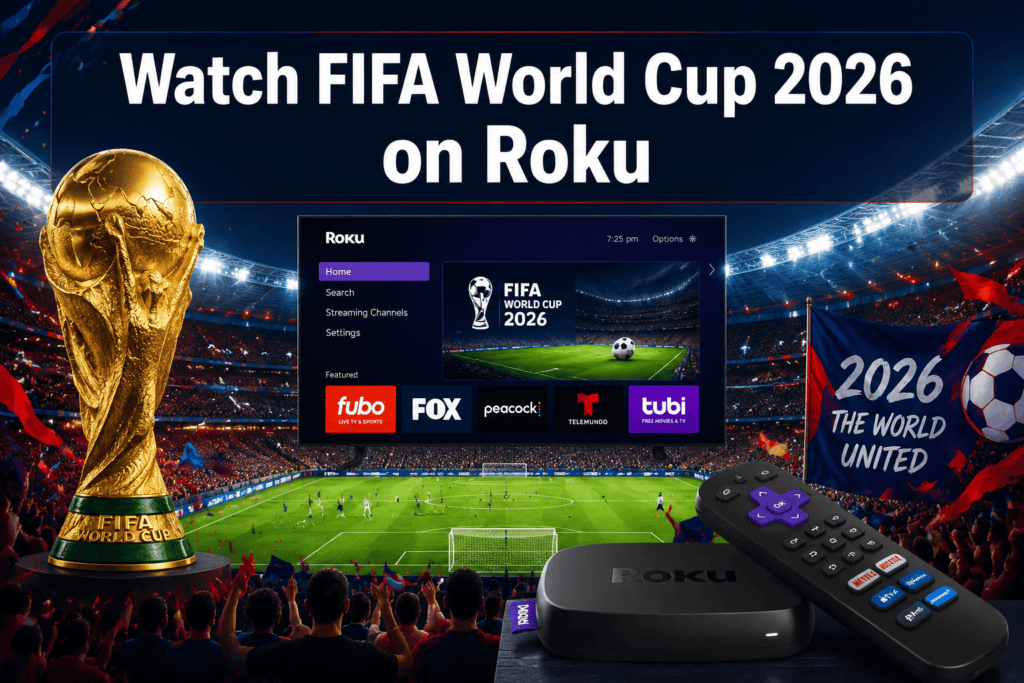
Roku users in the United States can watch the FIFA World Cup 2026 on Roku by adding the Fox Sports, Telemundo, or Peacock channels to their Roku device and subscribing to the relevant service. Fox and FS1 hold English-language broadcast rights, while Telemundo and Universo carry Spanish-language coverage. No special Roku hardware is required beyond a device running Roku OS 11 or later.
Can I watch The Roku Channel online?
- Fox, FS1, Telemundo, and Universo are the primary broadcast channels for the 2026 World Cup in the US; all have Roku apps.
- A live TV streaming service such as Fubo, Sling TV, Hulu + Live TV, or YouTube TV is the most reliable paid path if you don’t have a cable subscription.
- Peacock (NBC’s streaming platform) carries select matches; a Peacock Premium subscription costs approximately $7.99/month as of 2026.
- Free, over-the-air Fox broadcasts are accessible on Roku through the Fox app if you authenticate with a TV provider or use a supported free-tier login.
- Most Roku devices released after 2019 are fully compatible; 4K HDR streaming is available on Roku 4K-capable sticks and boxes.
- A minimum internet speed of 25 Mbps is recommended for reliable HD streaming; 4K requires at least 50 Mbps.
- Spanish-language coverage is fully available on Roku via Telemundo and Universo apps.
- No single “World Cup-only” Roku subscription exists; coverage is bundled within existing sports streaming services.
What Channels Are Showing the World Cup in 2026
Fox Broadcasting, FS1, Telemundo, and Universo hold the US broadcast rights for the FIFA World Cup 2026. These four channels split coverage of all 104 matches across the tournament, which runs from June 11 to July 19, 2026, across venues in the United States, Canada, and Mexico.
Here is a breakdown of the key broadcast partners:
| Channel | Language | Platform/App on Roku | Free or Paid |
|---|---|---|---|
| Fox | English | Fox Sports app | Free with TV provider or antenna |
| FS1 | English | Fox Sports app | Requires pay-TV or streaming sub |
| Telemundo | Spanish | Telemundo app | Free with TV provider |
| Universo | Spanish | Universo app | Requires pay-TV or streaming sub |
| Peacock | English | Peacock app | Paid (Premium tier) |
For a full breakdown of every broadcaster carrying the tournament globally, see the FIFA World Cup 2026 TV Coverage and Channel List.
How to Watch the FIFA World Cup 2026 on Roku: Step-by-Step Setup
Setting up Roku to stream World Cup matches takes under ten minutes if the device is already connected to a TV and the internet.
Step 1: Check your Roku device and software
Go to Settings > System > System Update and confirm your Roku is running the latest firmware. Devices running Roku OS 11 or later handle all current streaming apps without issue.
Step 2: Add the required channels
From the Roku home screen, select the Streaming Channels option, then search for each app you need:
- Fox Sports
- Telemundo
- Universo
- Peacock
- Fubo, Sling TV, Hulu + Live TV, or YouTube TV (if using a live TV bundle)
Select “Add Channel” for each one.
Step 3: Sign in or subscribe
Open each app and sign in with your existing account credentials. If you don’t have a subscription, create one directly through the app or on the provider’s website before signing in on Roku.
Step 4: Find the match
Use the app’s sports or live TV section to locate the World Cup broadcast. Fox Sports and Telemundo apps both feature a dedicated live sports tab. You can also check the FIFA World Cup 2026 Schedule to know which channel carries each match before you open the app.
Step 5: Verify your stream before kickoff
Open the app 10 to 15 minutes before a match starts to confirm the stream loads correctly. This avoids last-minute buffering surprises.
Do You Need a Special Roku Subscription to Watch Soccer Matches
No special Roku-specific subscription exists for the World Cup. Roku is a platform, not a content provider. The subscriptions you need are with the services that hold broadcast rights: Fox (free over-the-air or via a TV provider login), Peacock Premium, or a live TV streaming bundle.
Common subscription paths:
- Already have cable or satellite: Authenticate the Fox Sports and Telemundo apps with your TV provider credentials. No extra cost.
- No cable, want all matches: Subscribe to Fubo ($79.99/month as of 2026, which includes Fox, FS1, Telemundo, and Universo) or Hulu + Live TV ($82.99/month).
- Budget option: Sling TV’s Blue plan (approximately $45/month) includes Fox and FS1 in markets where Fox is available.
- Partial coverage only: Peacock Premium ($7.99/month) covers select matches but does not carry the full tournament.
How Much Will World Cup Streaming Cost on Roku
The cost depends entirely on which services you choose. Here are the realistic price ranges for US viewers in 2026:
| Option | Monthly Cost (est.) | Matches Covered |
|---|---|---|
| Fox app (with TV provider login) | $0 extra | Fox-broadcast matches |
| Peacock Premium | ~$7.99 | Select matches |
| Sling TV Blue | ~$45.00 | Fox, FS1 (select markets) |
| Fubo Pro | ~$79.99 | Fox, FS1, Telemundo, Universo |
| Hulu + Live TV | ~$82.99 | Fox, FS1, ESPN |
| YouTube TV | ~$72.99 | Fox, FS1 |
Prices listed are approximate monthly rates based on publicly available 2026 pricing. Always verify current rates on each provider’s website before subscribing, as promotional pricing and bundles change frequently.
For viewers outside the US, options differ significantly. Readers in the UK, Canada, or other regions can find region-specific guidance at How to Watch FIFA World Cup 2026 in USA, How to Watch FIFA World Cup 2026 Live Stream in UK, and How to Watch FIFA World Cup 2026 Live Stream in Canada.
Which Roku Devices Are Compatible With World Cup Broadcasts
Nearly every Roku device released since 2018 can run the apps needed to stream the 2026 World Cup. Roku OS 11 is the minimum recommended version for smooth app performance.
Fully compatible devices include:
- Roku Express and Express 4K+
- Roku Streaming Stick 4K and 4K+
- Roku Ultra and Ultra LT
- Roku Smart Soundbar
- Roku-branded smart TVs (TCL, Hisense, and others running Roku OS)
Older devices to watch out for: Roku 1, Roku 2 (pre-2015), and Roku LT models may not support updated app versions. If your device cannot update to Roku OS 11, consider upgrading to a current Roku Streaming Stick 4K, which retails for around $49.99.
Can You Watch FIFA World Cup 2026 in 4K on Roku
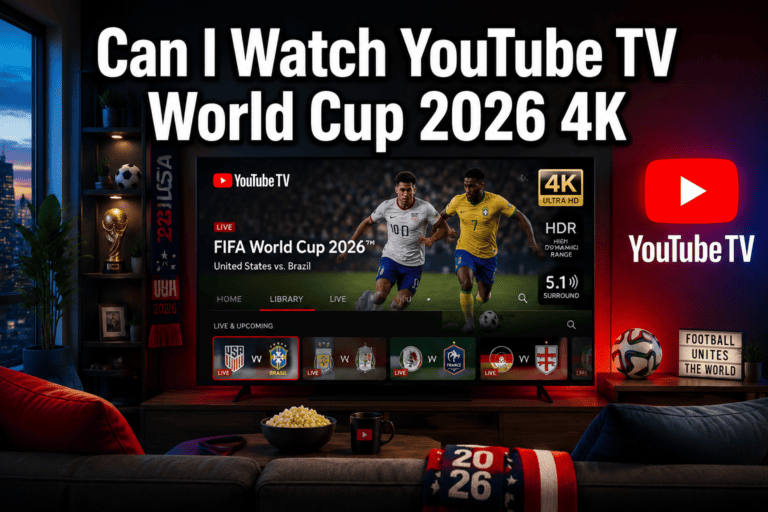
Yes, 4K streaming of select World Cup matches is available on Roku, but only on 4K-capable Roku devices and only through services that offer 4K broadcasts. Fox has confirmed 4K HDR broadcasts for marquee matches including the semifinals and final.
Requirements for 4K streaming:
- A Roku device with 4K support (Roku Streaming Stick 4K, Roku Ultra, or a 4K Roku TV)
- A 4K HDR television
- A subscription to a service offering 4K output (Fox Sports app, Fubo, or Peacock Premium Plus)
- Internet connection of at least 50 Mbps (more on this below)
Not all group-stage matches will be available in 4K. Check the Fox Sports app or your live TV provider’s listings to confirm 4K availability for a specific match before kickoff.
What Internet Speed Do You Need to Stream World Cup Games
For reliable HD (1080p) streaming, a minimum of 25 Mbps download speed is recommended. For 4K HDR streaming, plan for at least 50 Mbps. These figures apply to a single stream; if other devices in the home are also using the internet simultaneously, add 10 to 15 Mbps per active device.
Quick reference:
- 720p HD: 10 Mbps minimum
- 1080p Full HD: 25 Mbps recommended
- 4K HDR: 50 Mbps recommended
- Household with multiple streams: Add 10-15 Mbps per additional device
Run a speed test at fast.com or speedtest.net before a match. If your speed falls below the threshold, connect your Roku via an Ethernet adapter (available for most Roku Ultra models) rather than Wi-Fi for a more stable connection.
Are There Free Ways to Watch World Cup Matches on Roku
Yes, limited free viewing is available on Roku. The Fox app allows free access to Fox-broadcast matches if you sign in with a cable or satellite TV provider login. Telemundo’s app similarly offers free authentication-based access for Spanish-language broadcasts.
Genuinely free options (no subscription required):
- Tubi: Tubi, which is owned by Fox Corporation, may carry select replay content or pre-tournament programming, though live match streaming is not confirmed on Tubi for 2026.
- Pluto TV: Pluto TV occasionally carries sports news channels but does not stream live World Cup matches.
- Over-the-air antenna + Roku: If you have a digital antenna connected to a TV with a Roku built in, you can watch Fox broadcasts for free over the air while using Roku apps for other content.
The most practical free path for most cord-cutters is a free trial from Fubo or Hulu + Live TV. Both services typically offer 7-day free trials for new subscribers, which could cover the opening rounds of the tournament.
Will ESPN+, Fox Sports, or Peacock Have World Cup Coverage on Roku
Fox Sports and Peacock both have confirmed World Cup coverage on Roku. ESPN+ does not hold US broadcast rights for the 2026 World Cup, so ESPN+ subscribers will not find live match streams there.
- Fox Sports app on Roku: Carries all Fox and FS1 matches. Free with a TV provider login; requires a live TV streaming subscription otherwise.
- Peacock on Roku: Carries select matches as part of NBC’s coverage arrangement. Peacock Premium ($7.99/month) is required.
- ESPN+ on Roku: Not a source for live 2026 World Cup matches in the US.
This is a common point of confusion because ESPN carried World Cup rights in previous cycles. For 2026, Fox and Telemundo hold all US rights. For a complete picture of which services carry the tournament, the FIFA World Cup 2026 TV Coverage and Channel List provides a current global reference.
Can You Watch World Cup Games in Spanish on Roku
Yes, full Spanish-language coverage is available on Roku through the Telemundo and Universo apps. Telemundo holds Spanish-language broadcast rights for the US, and both apps are free to download on Roku.
To access Spanish commentary:
- Download the Telemundo app from the Roku Channel Store.
- Download the Universo app for additional match coverage.
- Sign in with a TV provider or live TV streaming service that includes these channels (Fubo, Hulu + Live TV, and YouTube TV all carry Telemundo and Universo).
Some Fox Sports app broadcasts also offer a secondary audio track in Spanish. Check the audio settings within the Fox Sports app during a live broadcast to switch commentary language.
What to Do If Your Roku Connection Drops During a Live Match
A dropped connection during a live match is usually caused by Wi-Fi interference, insufficient bandwidth, or a temporary server issue with the streaming service. Here are the fastest fixes:
- Restart the app: Press the Home button, reopen the app, and navigate back to the live stream. This resolves most temporary buffering issues.
- Check your internet speed: Run a speed test on another device. If speeds are low, pause other downloads or streams in the home.
- Switch to a wired connection: Plug a USB-to-Ethernet adapter into your Roku Ultra and connect directly to your router for a more stable signal.
- Restart your router: Unplug it for 30 seconds, then plug it back in. This often resolves ISP-side slowdowns.
- Lower the stream quality: Some apps allow manual quality selection. Dropping from 4K to 1080p can eliminate buffering on slower connections.
- Check the service’s status page: During high-demand events like World Cup matches, streaming platforms occasionally experience server strain. Check the provider’s social media or status page (e.g., status.fox.com) to see if an outage is reported.
Are There Any Roku Streaming Packages Specifically for Soccer Fans
No Roku-native soccer-only package exists. However, several third-party streaming services available on Roku cater specifically to soccer fans year-round, and these services also carry World Cup content where rights allow.
- Fubo: Originally built as a soccer-first streaming service, Fubo carries Fox, FS1, Telemundo, Universo, and beIN Sports. It is the most soccer-comprehensive live TV option on Roku for US viewers.
- Peacock: Carries Premier League matches throughout the year and select World Cup matches in 2026.
- Paramount+ with Showtime: Carries UEFA Champions League and Europa League but does not hold 2026 World Cup rights.
- Apple TV+ (MLS Season Pass): Available as a channel add-on within Roku, covers MLS but not the World Cup.
For viewers who want soccer beyond the World Cup, Fubo’s base plan is the most cost-effective single subscription that covers both the tournament and ongoing club football.
Conclusion
Knowing how to watch the FIFA World Cup 2026 on Roku comes down to three decisions: which device you have, which channels carry the matches you want, and whether you need a new subscription to access them. For most US viewers, adding the Fox Sports and Telemundo apps to any modern Roku device and signing in with a live TV streaming service covers the full 104-match tournament.
Actionable next steps before the tournament begins:
- Update your Roku firmware to the latest version via Settings > System > System Update.
- Download the Fox Sports, Telemundo, Universo, and Peacock apps from the Roku Channel Store.
- Confirm your current TV provider or streaming subscription includes Fox and FS1. If not, compare Fubo, YouTube TV, and Hulu + Live TV to find the best fit for your budget.
- Run an internet speed test and switch to a wired Ethernet connection if your Wi-Fi speed is below 25 Mbps.
- Bookmark the FIFA World Cup 2026 Schedule so you always know which channel carries the next match.
- If you’re watching from outside the US, check the region-specific guides for India, UK, or Canada for local streaming options.
With the right setup in place before June 11, every match from the opening game to the final on July 19 is a few button presses away on your Roku remote.
FAQ
Can I watch the FIFA World Cup 2026 on a Roku TV?
Yes. Any Roku-powered smart TV (from brands like TCL or Hisense) running Roku OS 11 or later supports all the streaming apps needed to watch the 2026 World Cup, including Fox Sports, Telemundo, and Peacock.
Does Roku have a free trial for World Cup streaming?
Roku itself does not offer content subscriptions. However, Fubo and Hulu + Live TV typically offer 7-day free trials for new subscribers, which can be activated and used through the Roku platform.
Is the Fox Sports app free on Roku?
The Fox Sports app is free to download on Roku. Watching live content requires either a cable/satellite TV provider login or a live TV streaming subscription such as Fubo, Sling TV, or YouTube TV.
Which Roku device is best for watching the World Cup in 4K?
The Roku Streaming Stick 4K+ and the Roku Ultra are the best options for 4K HDR streaming. Both support Dolby Vision and HDR10+ for the sharpest picture quality available from Fox’s 4K broadcasts.
Can I record World Cup matches on Roku?
Some live TV streaming services available on Roku, such as YouTube TV and Hulu + Live TV, include cloud DVR functionality. YouTube TV offers unlimited cloud DVR storage, allowing you to record any match and watch it later.
What if the Fox Sports app is not available in my Roku Channel Store?
If the Fox Sports app does not appear in your regional Roku Channel Store, your Roku device may be set to a non-US region. Go to Settings > System > Advanced System Settings > Store Region and set it to the United States.
Do I need a VPN to watch the World Cup on Roku?
Viewers in the US do not need a VPN. Viewers outside the US who want to access US-based services like Fox Sports should be aware that VPN use may violate the terms of service of those platforms and is not recommended.
Will Sling TV carry all World Cup matches?
Sling TV’s Blue plan includes Fox and FS1 in markets where Fox is available, but coverage depends on your local market. Sling does not include Telemundo or Universo on its base plan. Fubo or Hulu + Live TV offer more complete tournament coverage.
Is there a dedicated World Cup channel on Roku?
No dedicated World Cup channel exists on the Roku Channel Store. Coverage is distributed across the Fox Sports, Telemundo, Universo, and Peacock apps.
How do I find out which channel is showing a specific World Cup match?
Check the FIFA World Cup 2026 Schedule for a full match-by-match broadcast listing, or open the Fox Sports or Telemundo app on your Roku device and navigate to the live sports section.
References
- Roku, Inc. “Roku OS System Requirements.” Roku Support, 2024. https://support.roku.com
- Fox Corporation. “Fox Sports 2026 FIFA World Cup Broadcast Rights.” Fox Sports Press Pass, 2024.
- NBCUniversal/Telemundo. “Telemundo Deportes 2026 World Cup Coverage Announcement.” NBCUniversal Media, 2024.
- Peacock. “Peacock Premium Pricing and Plans.” NBCUniversal Streaming, 2025. https://www.peacocktv.com
- Fubo, Inc. “Fubo Channel Lineup and Pricing.” Fubo, 2026. https://www.fubo.tv
- FIFA. “2026 FIFA World Cup Host Cities and Match Schedule.” FIFA.com, 2025. https://www.fifa.com/en/tournaments/mens/worldcup/canadamexicousa2026