How to Watch 2026 World Cup on iPhone and Apple Devices
Quick Answer: Apple device users can watch the 2026 World Cup through Fox Sports, Telemundo, Peacock, YouTube TV, Hulu + Live TV, and other streaming apps available on the App Store. Fox holds primary English-language rights while Telemundo covers Spanish broadcasts, with most services requiring paid subscriptions ranging from $5.99 to $72.99 monthly.
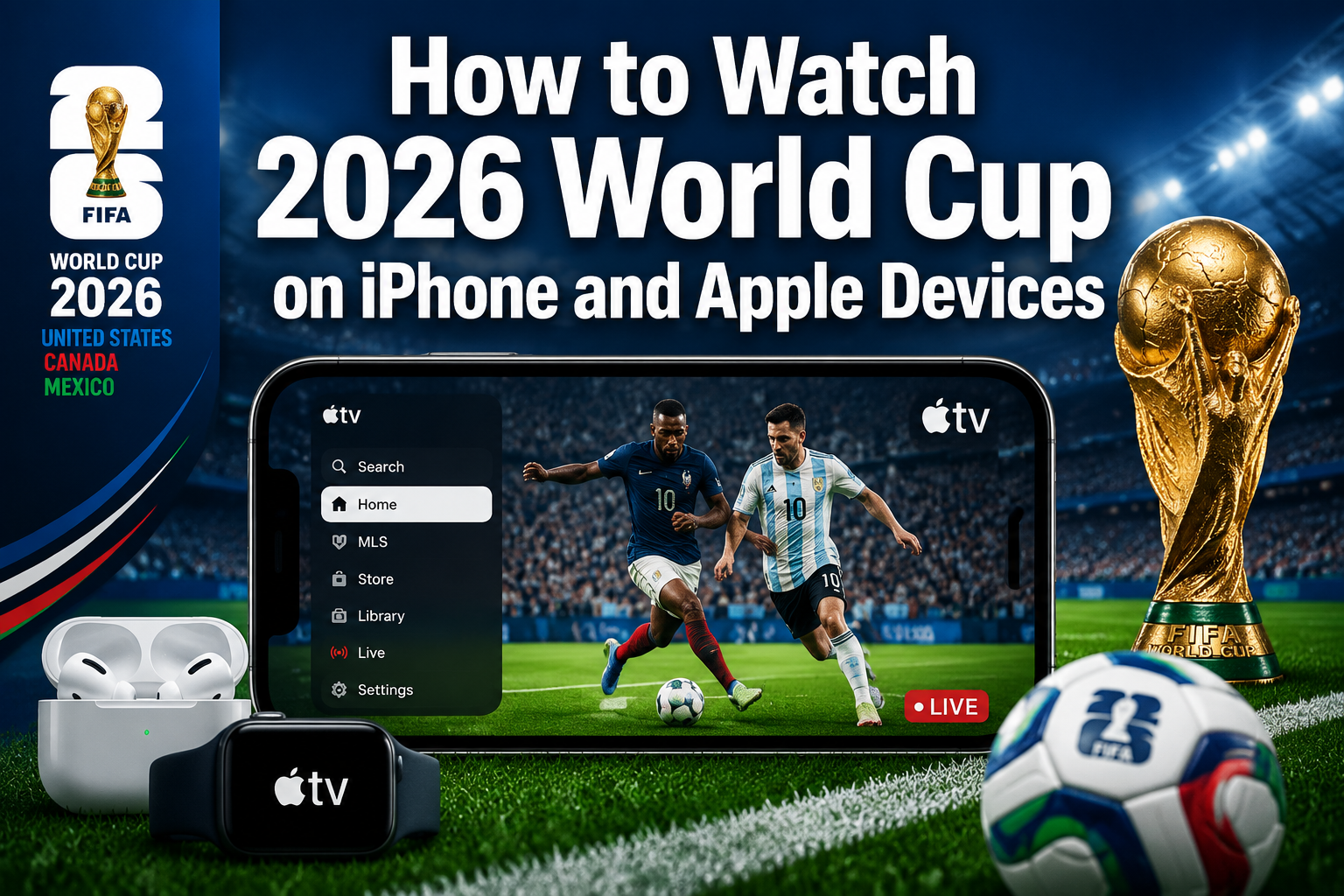
Watch 2026 World Cup on iPhone and Apple Devices
- Fox Sports and Telemundo apps provide official 2026 World Cup coverage on all Apple devices
- YouTube TV, Hulu + Live TV, and Sling TV offer comprehensive streaming packages with World Cup access
- Apple TV+ does not have exclusive World Cup rights but integrates with other streaming services
- VPN services may be needed to access international broadcasts or overcome regional restrictions
- Offline viewing is available through select apps like Peacock and YouTube TV with premium subscriptions
- Internet speeds of at least 25 Mbps ensure smooth 4K streaming on Apple devices
- Screen mirroring from iPhone to Apple TV provides the best big-screen viewing experience
What Apps Can You Use to Watch 2026 World Cup on iPhone
The primary apps for watching the 2026 World Cup on iPhone include Fox Sports, Telemundo Deportes, Peacock, YouTube TV, Hulu, and Sling TV. Fox Sports serves as the main English-language broadcaster in the United States, offering live matches, highlights, and analysis through their free app with cable authentication or Peacock subscription.
Telemundo Deportes provides comprehensive Spanish-language coverage, available through their standalone app or as part of Peacock Premium subscriptions. The app includes live matches, replays, and exclusive Spanish commentary that many soccer fans prefer for its authentic atmosphere.
Popular streaming apps for 2026 World Cup on iPhone:
- Fox Sports (free with cable login or Peacock subscription)
- Telemundo Deportes (free with cable or Peacock Premium)
- Peacock Premium ($5.99/month)
- YouTube TV ($72.99/month)
- Hulu + Live TV ($76.99/month)
- Sling TV Blue ($40/month)
- FuboTV ($74.99/month)
Choose Fox Sports if you have existing cable credentials, or opt for Peacock Premium as the most affordable streaming-only option at $5.99 monthly. For cord-cutters wanting comprehensive sports coverage beyond the World Cup, YouTube TV or Hulu + Live TV provide the best long-term value.
Which Streaming Services Have 2026 World Cup Rights
Fox Corporation holds exclusive English-language broadcasting rights for the 2026 World Cup in the United States, while NBCUniversal’s Telemundo secured Spanish-language rights. This means legitimate streaming access requires services that carry Fox networks or Telemundo channels.
Peacock Premium offers the most direct access, streaming all matches live with both English and Spanish commentary options. The service costs $5.99 monthly and includes exclusive content like match replays, highlights, and behind-the-scenes coverage not available elsewhere.
Streaming services with confirmed 2026 World Cup access:
- Peacock Premium (direct Fox/Telemundo content)
- YouTube TV (includes Fox, FS1, Telemundo)
- Hulu + Live TV (Fox networks and Telemundo)
- Sling TV Blue (Fox in select markets, FS1)
- FuboTV (comprehensive soccer coverage)
- DirecTV Stream (all Fox networks)
International viewers should note that rights vary by country. For example, BBC and ITV hold UK rights, while TSN covers Canada. Using a VPN to access these services from outside their intended regions may violate terms of service, though enforcement varies by provider.
Can You Watch 2026 World Cup Live on Apple TV ?
Yes, Apple TV devices support all major streaming apps carrying 2026 World Cup coverage, including Fox Sports, Peacock, YouTube TV, and Hulu + Live TV. The Apple TV app also aggregates World Cup content from multiple sources, making it easier to find matches across different services.
Apple TV+ itself does not have World Cup broadcasting rights, but the Apple TV app serves as a central hub for discovering matches across subscribed services. The “Sports” section will likely feature dedicated World Cup collections during the tournament.
For the best experience, download streaming apps directly to your Apple TV rather than relying on AirPlay from other devices. Native apps provide superior video quality, reduced latency, and access to 4K streams when available. Fox Sports and Peacock both support 4K streaming on compatible Apple TV models (Apple TV 4K 2nd generation and newer).
2026 World Cup Apple TV viewing advantages:
- Native 4K HDR support for premium viewing quality
- Siri voice control for finding specific matches or teams
- Integration with Apple TV app for unified content discovery
- Multiple user profiles for personalized recommendations
- Seamless switching between streaming services
How to Stream 2026 World Cup on iPad and Mac ?
iPad and Mac users can access 2026 World Cup streams through the same apps available on iPhone, with additional benefits from larger screens and enhanced multitasking capabilities. Safari browser also provides access to streaming services’ web platforms, offering an alternative to dedicated apps.
For iPad viewing, download Fox Sports, Peacock, or your preferred streaming app from the App Store. The larger screen makes iPad ideal for watching matches while using other apps simultaneously, such as following live stats or social media commentary in Split View mode.
Mac users can choose between Safari web streaming or downloading apps from the Mac App Store. Web streaming often provides identical quality to apps while allowing easier multitasking with other browser tabs or desktop applications.
iPad/Mac-specific features:
- Picture-in-picture mode for watching while using other apps
- Split View on iPad for simultaneous match viewing and social media
- External monitor support for larger viewing experiences
- Keyboard shortcuts for quick navigation and volume control
- Better multitasking for following multiple matches or statistics
Connect external monitors to Mac or iPad Pro models for even larger viewing experiences. Most streaming apps support external display output, though some may limit resolution or apply content protection restrictions.
Do You Need a VPN to Watch 2026 World Cup on iPhone
VPNs are not required for viewers in the United States accessing Fox Sports or Peacock through legitimate subscriptions. However, VPNs may help international viewers access different regional broadcasts or overcome geographic restrictions on certain streaming services.
Some international broadcasters offer free World Cup coverage that may be more accessible than paid US services. For example, BBC iPlayer in the UK or ARD/ZDF in Germany provide comprehensive coverage at no cost to viewers in those regions.
Common VPN use cases for World Cup viewing:
- Accessing free international broadcasts from other countries
- Overcoming regional blackouts for specific matches
- Improving streaming quality by connecting to less congested servers
- Maintaining privacy while using public Wi-Fi networks
- Accessing home country coverage while traveling abroad
Choose VPN services with proven track records for streaming, such as ExpressVPN, NordVPN, or Surfshark. Ensure the VPN provider maintains servers in your target country and offers reliable connection speeds for HD streaming. Remember that using VPNs to circumvent geographic restrictions may violate streaming service terms of use.
How Much Does It Cost to Stream 2026 World Cup on Apple Devices
Streaming costs for the 2026 World Cup range from $5.99 monthly for Peacock Premium to $76.99 monthly for comprehensive live TV services like Hulu + Live TV. The most economical option for dedicated World Cup viewing is Peacock Premium at $5.99 per month, providing access to all matches with minimal additional content.
For viewers wanting broader sports and entertainment coverage, mid-tier services like Sling TV Blue ($40/month) or YouTube TV ($72.99/month) offer better long-term value. These services include Fox networks, ESPN, and other sports channels useful beyond the World Cup tournament.
2026 World Cup streaming costs breakdown:
- Peacock Premium: $5.99/month (World Cup focus)
- Sling TV Blue: $40/month (basic cable alternative)
- FuboTV: $74.99/month (sports-heavy package)
- YouTube TV: $72.99/month (comprehensive live TV)
- Hulu + Live TV: $76.99/month (includes Disney+ and ESPN+)
- Cable authentication: $0 additional (if you already have cable)
Consider subscribing only during the World Cup period (June-July 2026) to minimize costs, then canceling afterward. Most services allow monthly cancellation without penalties. Alternatively, some providers offer annual discounts that reduce monthly costs for longer commitments.
What’s the Difference Between Watching on Apple TV vs iPhone
Apple TV provides superior viewing quality and convenience compared to iPhone, primarily due to larger screen real estate and dedicated streaming hardware. Apple TV 4K models support HDR10 and Dolby Vision, delivering enhanced color accuracy and contrast that significantly improves match viewing experiences.
iPhone viewing offers portability and personal convenience but limits screen size to 6.7 inches maximum on iPhone Pro Max models. However, iPhone excels for on-the-go viewing, commuting, or watching matches privately without disturbing others.
Apple TV advantages:
- Large screen viewing (varies by connected TV size)
- 4K HDR support for premium visual quality
- Better audio output through TV speakers or sound systems
- Dedicated remote control with Siri voice commands
- No battery drain concerns during long matches
- Multiple viewer accommodation
iPhone advantages:
- Complete portability for viewing anywhere
- Personal viewing without disturbing others
- Built-in cellular connectivity for streaming without Wi-Fi
- Touch interface for easier app navigation
- Headphone support for private audio
- Smaller data usage on cellular networks
For the best of both worlds, start matches on iPhone while mobile, then use AirPlay to seamlessly transfer streaming to Apple TV when arriving home. This continuity feature works across most streaming apps and maintains your viewing position.
Can You Watch 2026 World Cup Offline on Your iPhone
Limited offline viewing is available through select streaming services, though most World Cup coverage requires live internet connections due to broadcasting rights restrictions. Peacock Premium allows downloading certain content for offline viewing, but live matches typically require real-time streaming.
YouTube TV subscribers can record World Cup matches using the service’s unlimited cloud DVR feature, then download recorded content for offline viewing within the YouTube TV app. This provides the most reliable offline access, though matches must be recorded during live broadcasts first.
Offline viewing options:
- Peacock Premium: Limited downloadable highlights and replays
- YouTube TV: Cloud DVR recordings downloadable for offline viewing
- Hulu + Live TV: Cloud DVR with download capabilities
- Fox Sports: Highlights and clips only, no full matches
- FuboTV: Cloud DVR recordings for offline access
Download content while connected to Wi-Fi to avoid cellular data charges. Most services limit offline content to 30 days and require periodic internet connections to verify subscription status. Plan ahead by recording important matches if you anticipate being without internet access.
For truly offline viewing, consider recording matches using external capture devices, though this may violate terms of service for most streaming platforms. Always review service agreements before attempting to record copyrighted content.
Why Isn’t 2026 World Cup Streaming Working on Your iPhone
Common streaming issues include insufficient internet bandwidth, outdated apps, iOS compatibility problems, or account authentication failures. Start troubleshooting by checking your internet connection speed, as 4K streaming requires at least 25 Mbps for smooth playback.
Update streaming apps to their latest versions through the App Store, as older versions may lack compatibility with current broadcasting protocols. Similarly, ensure iOS is updated to the latest version, as streaming apps often require recent iOS features for optimal performance.
Common fixes for streaming problems:
- Restart the streaming app and try again
- Check internet speed using built-in speed test features
- Update apps through App Store and iOS through Settings
- Clear app cache by deleting and reinstalling problematic apps
- Disable VPN services that might interfere with geographic authentication
- Switch from cellular to Wi-Fi or vice versa
- Restart iPhone completely to clear temporary system issues
Account-related issues often stem from subscription lapses, geographic restrictions, or simultaneous streaming limits. Verify your subscription status within the app and ensure you’re not exceeding the service’s device limits. Some services restrict streaming to home network locations, requiring periodic authentication from your registered address.
Contact streaming service customer support if problems persist, as they can verify account status and identify service-wide outages affecting your area.
Best Way to Watch 2026 World Cup on iPhone Without Cable
Peacock Premium offers the most straightforward cable-free solution at $5.99 monthly, providing comprehensive World Cup coverage without requiring traditional cable subscriptions. This service includes all matches with English and Spanish commentary, plus exclusive highlights and analysis content.
YouTube TV represents the best cable replacement for sports fans, offering Fox networks, ESPN, and extensive sports coverage at $72.99 monthly. While more expensive than Peacock alone, YouTube TV provides year-round value for viewers wanting comprehensive sports and entertainment content.
Ranked cable-cutting options:
- Peacock Premium ($5.99/month): Best value for World Cup-only viewing
- Sling TV Blue ($40/month): Affordable cable alternative with Fox Sports
- YouTube TV ($72.99/month): Comprehensive sports coverage and DVR
- Hulu + Live TV ($76.99/month): Includes Disney+ and ESPN+ bundles
- FuboTV ($74.99/month): Soccer-focused with international channels
Consider your viewing habits beyond the World Cup when choosing services. Peacock Premium works best for dedicated soccer fans who primarily want World Cup access, while YouTube TV or Hulu + Live TV serve viewers wanting comprehensive entertainment packages.
Most services offer free trial periods, allowing you to test streaming quality and interface preferences before committing to monthly subscriptions. Take advantage of these trials to find the service that best matches your viewing preferences and internet connection capabilities.
Does Apple TV Plus Have 2026 World Cup Coverage
Apple TV+ does not hold broadcasting rights for the 2026 World Cup and will not stream matches directly. However, the Apple TV app integrates with other streaming services to provide unified access to World Cup content across multiple platforms.
The Apple TV app’s “Sports” section aggregates World Cup matches from subscribed services like Peacock, YouTube TV, and Hulu + Live TV. This integration allows viewers to find and launch matches without manually opening individual streaming apps.
Apple may produce World Cup-related documentary content or analysis shows for Apple TV+, similar to their approach with other major sporting events. However, live match coverage requires subscriptions to services holding actual broadcasting rights.
Apple TV app World Cup features:
- Unified match discovery across multiple streaming services
- Personalized recommendations based on favorite teams
- Integration with Siri for voice-activated match finding
- Calendar integration for upcoming match notifications
- Cross-service content aggregation in one interface
Use the Apple TV app as your primary World Cup hub while maintaining active subscriptions to Fox Sports, Peacock, or other rights-holding services. This approach provides the convenience of Apple’s interface while ensuring access to actual match coverage.
Can You Screen Mirror 2026 World Cup from iPhone to TV
Yes, AirPlay screen mirroring allows streaming World Cup matches from iPhone to any AirPlay-compatible TV or Apple TV device. Most streaming apps support AirPlay, though some may restrict mirroring due to content protection requirements.
For best results, use native Apple TV apps rather than screen mirroring when possible. Native apps provide superior video quality, reduced battery drain on iPhone, and eliminate potential wireless interference that can affect mirrored content.
Screen mirroring setup steps:
- Connect iPhone and Apple TV to the same Wi-Fi network
- Open your preferred World Cup streaming app on iPhone
- Start playing the desired match or content
- Swipe down from upper-right corner to access Control Center
- Tap Screen Mirroring icon and select your Apple TV
- Match content should appear on TV within seconds
Some streaming services block AirPlay mirroring to prevent unauthorized distribution of copyrighted content. If mirroring fails, download the streaming app directly to your Apple TV instead. This approach often provides better video quality and more reliable playback than wireless mirroring.
For non-Apple TVs with AirPlay support, ensure your TV firmware is updated to the latest version for optimal compatibility with iOS devices and streaming apps.
What Internet Speed Do You Need to Stream 2026 World Cup Smoothly on iPhone
A minimum internet speed of 5 Mbps supports standard definition World Cup streaming on iPhone, while 25 Mbps enables smooth 4K streaming with HDR content. Most streaming services automatically adjust quality based on available bandwidth, but higher speeds ensure consistent premium viewing experiences.
Cellular data usage varies significantly by streaming quality, with 4K streams consuming up to 7 GB per hour. Monitor data usage carefully if streaming over cellular networks, especially during lengthy matches or multiple games per day.
Recommended internet speeds by quality:
- Standard Definition (480p): 3-5 Mbps
- High Definition (720p): 5-10 Mbps
- Full HD (1080p): 10-15 Mbps
- 4K Ultra HD: 25+ Mbps
- 4K with HDR: 35+ Mbps
Test your connection speed using built-in speed test features in streaming apps or dedicated speed test websites. Consistent speeds matter more than peak speeds, as streaming requires sustained bandwidth throughout entire matches.
For households with multiple viewers, multiply recommended speeds by the number of simultaneous streams. A family watching different matches on multiple devices may need 50-100 Mbps for optimal experiences across all streams.
Consider upgrading internet plans during the World Cup if your current connection struggles with HD streaming, as the tournament represents peak usage periods for sports streaming services.
How to Get Notifications for 2026 World Cup Matches on iPhone
Enable push notifications through official World Cup apps like Fox Sports, Peacock, or FIFA’s official app to receive match start alerts, goal notifications, and score updates. These apps provide the most reliable and timely notifications directly from tournament organizers.
The Apple TV app also sends notifications for upcoming matches when you follow specific teams or add World Cup events to your calendar. This integration works across all your Apple devices, ensuring you receive alerts whether using iPhone, iPad, or Mac.
Setting up World Cup notifications:
- Download Fox Sports, Peacock, or FIFA official app
- Allow push notifications when prompted during setup
- Navigate to notification settings within each app
- Select preferred alert types (match starts, goals, final scores)
- Choose favorite teams for personalized notifications
- Set notification timing (15 minutes before kickoff, etc.)
Third-party sports apps like ESPN or The Athletic also provide comprehensive World Cup notifications with additional analysis and commentary. These apps often offer more detailed notification customization options than official broadcaster apps.
Customize notification timing based on your schedule, setting alerts 30-60 minutes before important matches to ensure adequate preparation time. Disable notifications during sleep hours to avoid disruptions, as World Cup matches may occur across multiple time zones.
For comprehensive coverage, consider enabling notifications from multiple sources while managing alert frequency to avoid notification overload during busy match days.
Frequently Asked Questions
Can I watch the 2026 World Cup for free on my iPhone ?
Limited free content is available through Fox Sports app with cable authentication, but comprehensive coverage requires paid subscriptions to Peacock Premium ($5.99/month) or other streaming services.
Will all 2026 World Cup matches be available in 4K on Apple devices ?
Fox Sports and Peacock plan to offer select matches in 4K, but not all games will have ultra-high-definition coverage. 4K availability depends on production costs and viewer demand for specific matches.
Can I use my cable login to watch World Cup matches on iPhone ?
Yes, Fox Sports app accepts cable authentication from most major providers, offering free access to matches if you have existing cable or satellite TV subscriptions that include Fox networks.
How much cellular data does streaming World Cup matches use ?
Standard definition streaming uses approximately 1 GB per hour, while HD streaming consumes 3 GB per hour, and 4K streaming can use up to 7 GB per hour on cellular networks.
Do streaming apps work the same way on older iPhones ?
Most streaming apps require iOS 14 or newer for optimal performance. iPhone 6s and newer models support current streaming apps, though older devices may experience reduced performance or feature limitations.
Can I download World Cup matches to watch later offline ?
Limited offline viewing is available through YouTube TV’s cloud DVR feature and Peacock’s download option for select content, but most live matches require real-time internet connections.
Will there be Spanish language commentary available on iPhone apps ?
Yes, Telemundo Deportes provides comprehensive Spanish commentary through their dedicated app and Peacock Premium, offering authentic Spanish-language World Cup coverage.
How do I switch between different camera angles during matches ?
Advanced viewing features like multiple camera angles depend on individual streaming services and may not be available through all apps. Fox Sports and Peacock may offer enhanced viewing options for premium subscribers.
Can multiple people watch World Cup matches on different devices with one subscription ?
Most streaming services allow 2-3 simultaneous streams per account, but specific limits vary by provider. YouTube TV supports 3 concurrent streams, while Peacock allows streaming on multiple devices.
What happens if my internet connection drops during a match ?
Most streaming apps automatically resume playback when internet connection is restored, typically returning to live coverage rather than the point where disconnection occurred.
Are there any regional restrictions for World Cup streaming on iPhone ?
Yes, broadcasting rights vary by country. US-based services like Fox Sports and Peacock are restricted to viewers within the United States, though VPN services may provide workarounds.
How far in advance can I set reminders for World Cup matches ?
Most apps allow setting match reminders up to several weeks in advance. The FIFA World Cup 2026 Opening Ceremony Time Table provides complete scheduling information for planning viewing schedules.
For viewers considering alternatives to Apple devices, our guide on how to watch FIFA World Cup 2026 on Android devices covers similar streaming options for Android users. Additionally, cord-cutters may find our comprehensive guide to watching without cable helpful for exploring all available streaming alternatives.
The World Cup 2026 bracket format explains the tournament structure, helping viewers understand which matches to prioritize during group stages versus knockout rounds. For US viewers specifically, our detailed guide to watching in the USA provides additional context about domestic broadcasting arrangements.
Conclusion
Watching the 2026 World Cup on iPhone and Apple devices offers multiple convenient options, with Peacock Premium providing the most affordable access at $5.99 monthly and comprehensive streaming services like YouTube TV offering broader sports coverage for dedicated fans. The key is choosing the right combination of apps and services based on your viewing preferences, budget, and desired features like 4K streaming or offline viewing capabilities.
Start by downloading the Fox Sports and Peacock apps to ensure access to official coverage, then consider supplementing with streaming services that match your long-term entertainment needs. Test your internet connection speed and enable notifications for your favorite teams to maximize your World Cup viewing experience across all your Apple devices.